

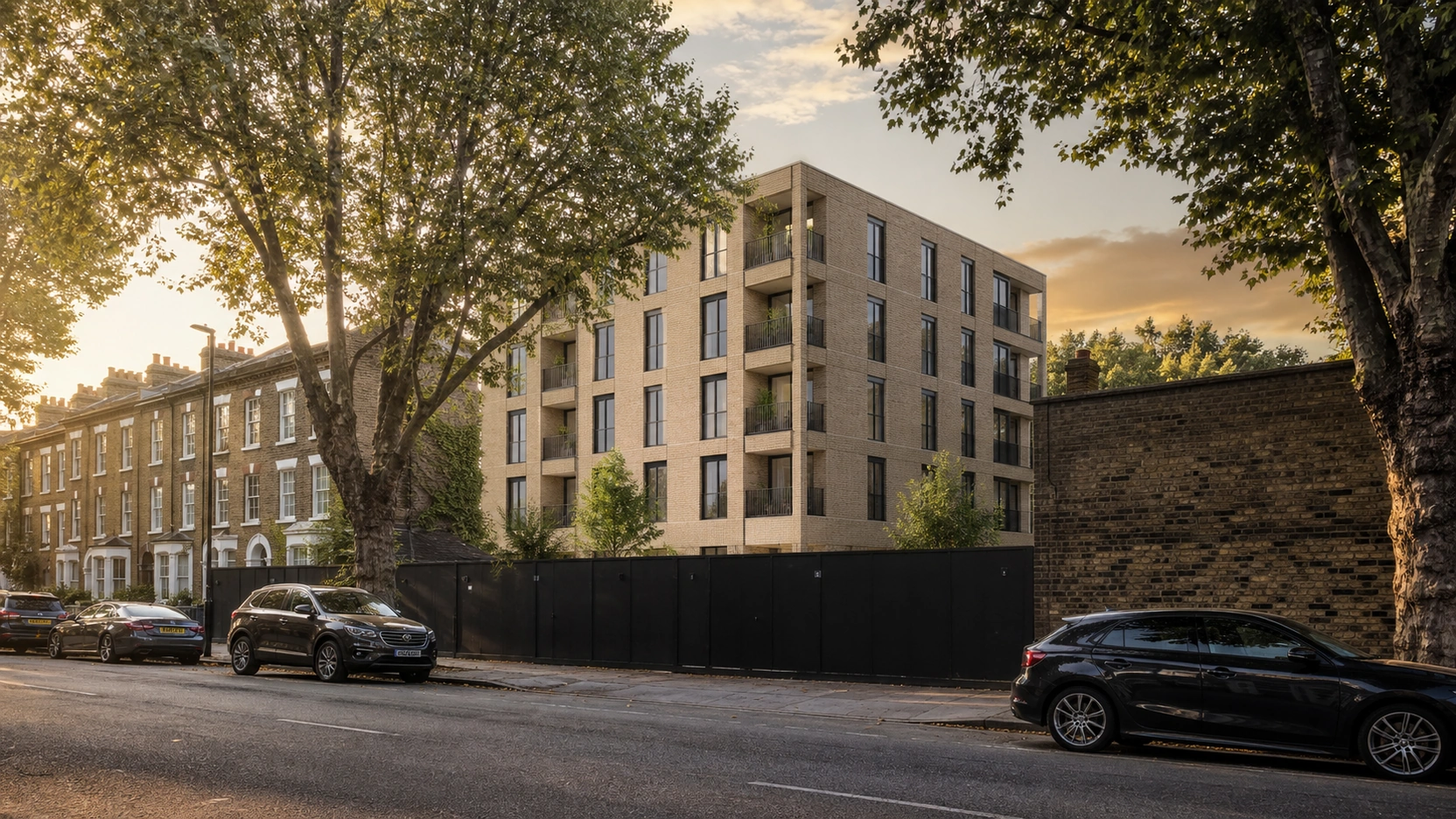
Exterior Rendering: How 3D Facades Are Blended Into Real Drone Photography
Two Different Standards: Marketing Composite vs Verified View
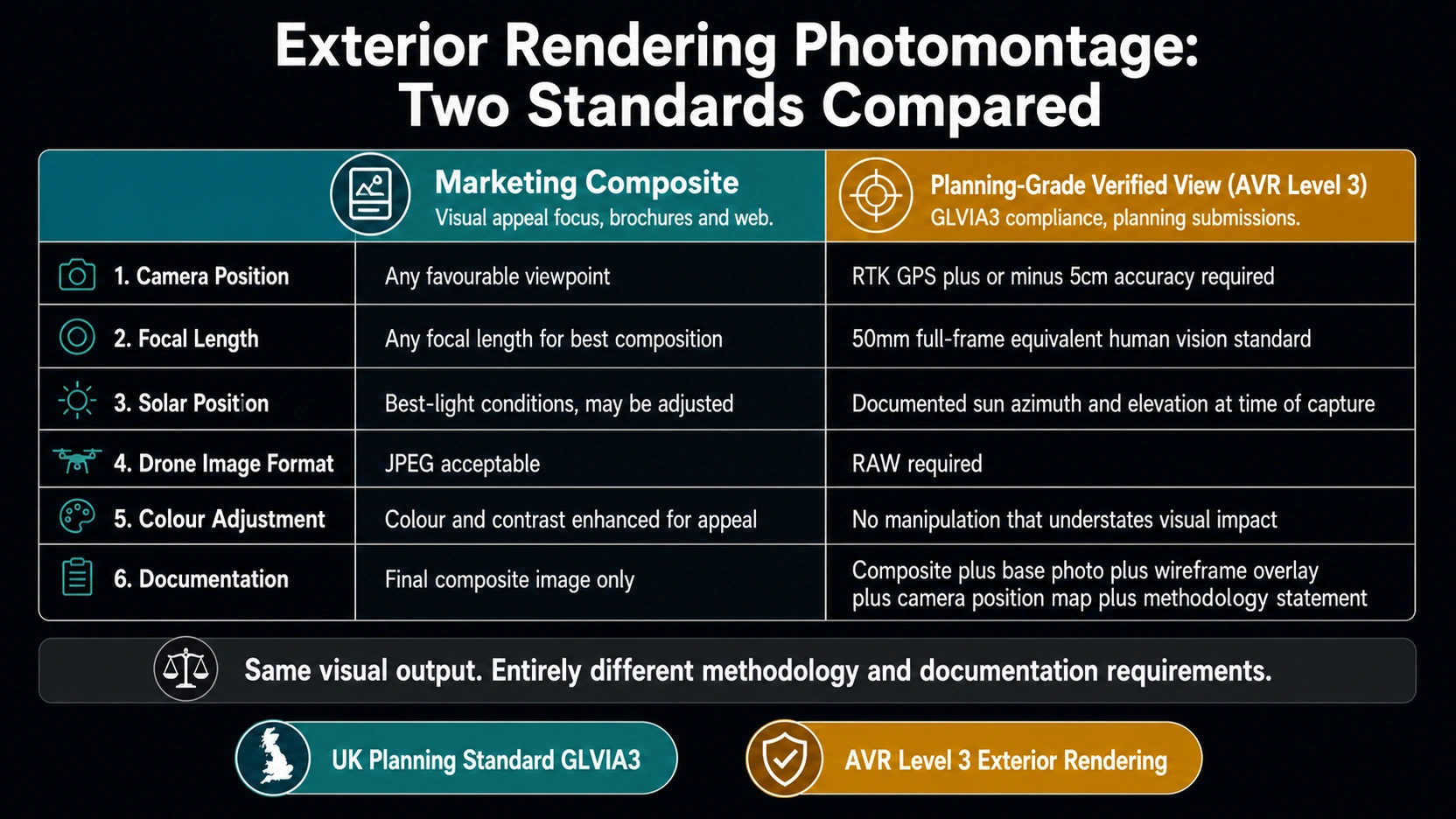
The most important distinction in exterior rendering compositing is not a technical one, it is a purpose distinction. The same visual output can be produced to two completely different standards.
Marketing Composite
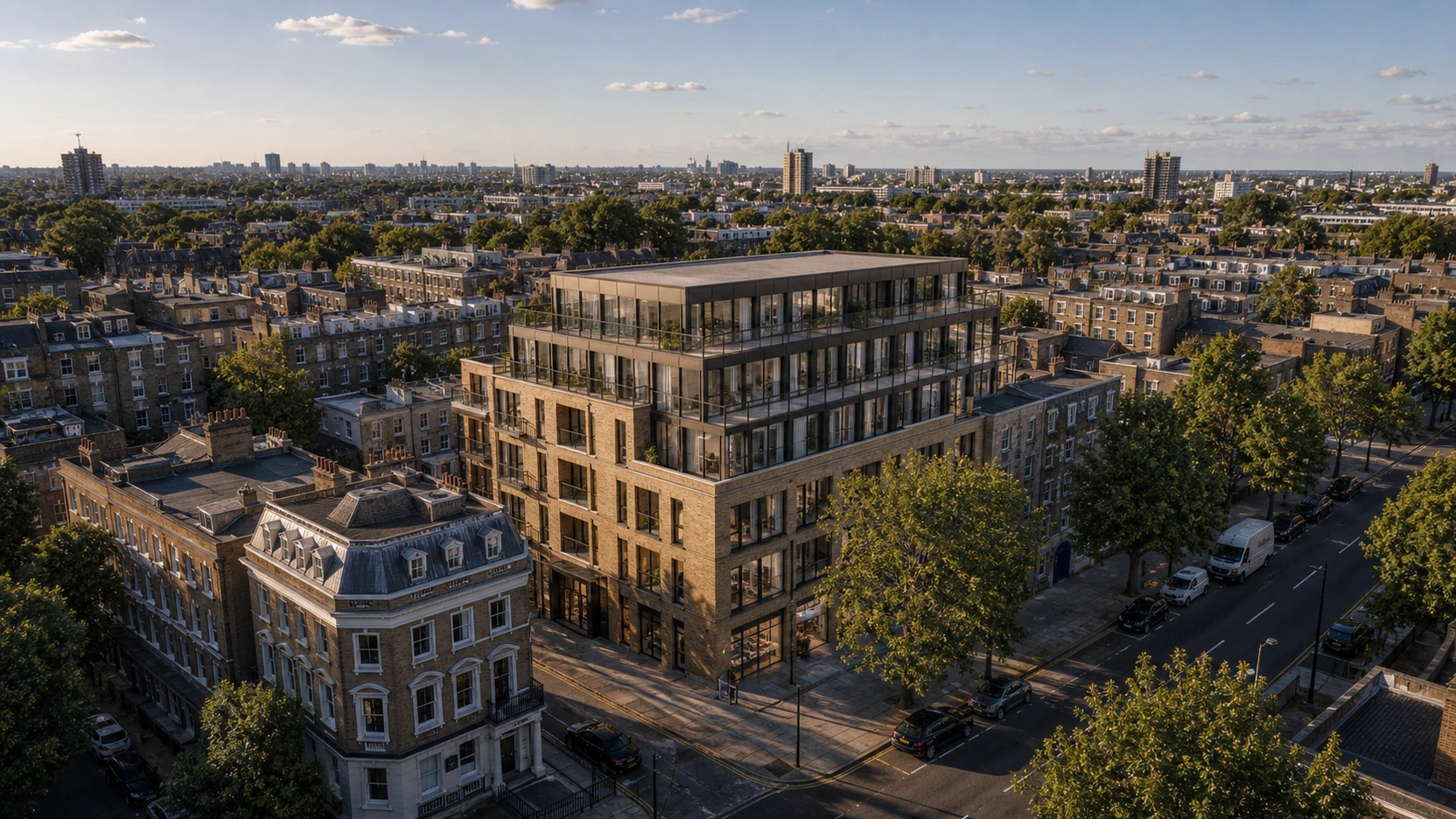
A marketing exterior rendering composite prioritises visual appeal over methodological rigour. The drone image can be taken at any time of day that produces attractive lighting. The focal length can be chosen freely to flatter the development. Shadow direction can be adjusted in post-production to improve the image. Atmospheric tone can be warmed or brightened to enhance appeal. The result is a beautiful brochure image, a website hero, or a social media asset. It is not a document that a UK planning authority will accept as evidence of a development’s visual impact.
Planning-Grade Verified View (AVR Level 3)
A planning-grade verified view must meet the UK’s GLVIA3 (Guidelines for Landscape and Visual Impact Assessment, Third Edition) and AVR (Accurately Visualised Representation) standards. AVR Level 3, the highest standard, required for major applications and visual impact assessments, requires:
- Surveyed camera position: RTK GPS accurate to ±5cm horizontal, not standard GPS (3-5 metre error)
- Calibrated focal length: Typically 50mm full-frame equivalent, representing normal human vision and the standard for verified view submission
- Solar angle match: Shadow direction in the CGI must match the actual sun azimuth and elevation at the exact time and date of the drone capture, documented in a methodology statement
- No visual flattery: No colour manipulation, contrast enhancement, or staging that would understate the visual impact of the development on the surrounding landscape
- Methodology documentation: The base photograph, the wireframe render overlay, the annotated camera position map, and the methodology statement are all submitted alongside the composite
The same studio technique produces both outputs. The difference is entirely in the pre-capture survey methodology, the post-production constraints, and the documentation package. Knowing which standard your project requires before commissioning exterior rendering compositing determines what data needs to be collected on site.
The Drone Base Image: What Makes It Usable
Before any exterior rendering compositing can begin, the drone photograph must meet minimum technical requirements.
Technical Requirements
| Requirement | Marketing Composite | Planning-Grade Verified View |
|---|---|---|
| Resolution | 20MP minimum (A3 print quality) | 24MP minimum (A2 submission at 300dpi) |
| Format | RAW preferred / JPEG acceptable | RAW required |
| ISO | ≤800 (grain above this creates visible mismatch with CGI) | ≤400 recommended |
| Sun angle | 20-60 degrees above horizon preferred | Same, plus time and date recorded in EXIF |
| EXIF data | Focal length, ISO, time required | All EXIF required + GPS position + drone model + sensor calibration data |
| GPS position | Standard drone GPS (±3-5m accuracy) | RTK GPS position (±5cm accuracy) |
Why RAW Format Matters
A JPEG-compressed drone photograph has undergone lossy compression: fine detail in the image has been approximated. A photorealistic exterior rendering CGI has no compression. When the two are blended, the compressed JPEG texture and the uncompressed CGI surface produce a visible boundary at the edge of the composite, even with careful masking. RAW format preserves the full sensor data, allowing the studio to colour-grade both the base image and the CGI render to the same colour space before compositing, eliminating the compression boundary.
The ISO Grain Problem
A drone photograph taken at ISO 800 or above shows camera sensor noise, random pixel-level variation in tone. A CGI render has no noise. When a clean CGI building is placed into a grainy drone photograph, the building appears artificially smooth and reads immediately as digital. Studios address this by adding synthetic grain to the CGI render matched to the measured grain profile of the base image. The lower the ISO of the base image, the more accurate this grain matching is. A base image shot at ISO 3200 in low-light conditions cannot be composited to a seamless standard regardless of studio skill.
Camera Match: The Foundation of the Composite
The camera match is the step that determines whether the CGI building occupies the correct position in space relative to the real photograph. An incorrect camera match produces geometry that appears to lean, tilt, or float, the most obvious visual indicators of an amateur composite.
What the Camera Match Does
The camera match extracts three parameters from the drone photograph and replicates them in the CGI camera:
- Focal length and field of view: The CGI camera must have the same angular field of view as the drone camera at the time of capture. Using the wrong focal length produces a CGI building that is too wide or too narrow relative to the surrounding context, windows that appear as horizontal rectangles in the real photo appear as squares in the CGI, or vice versa.
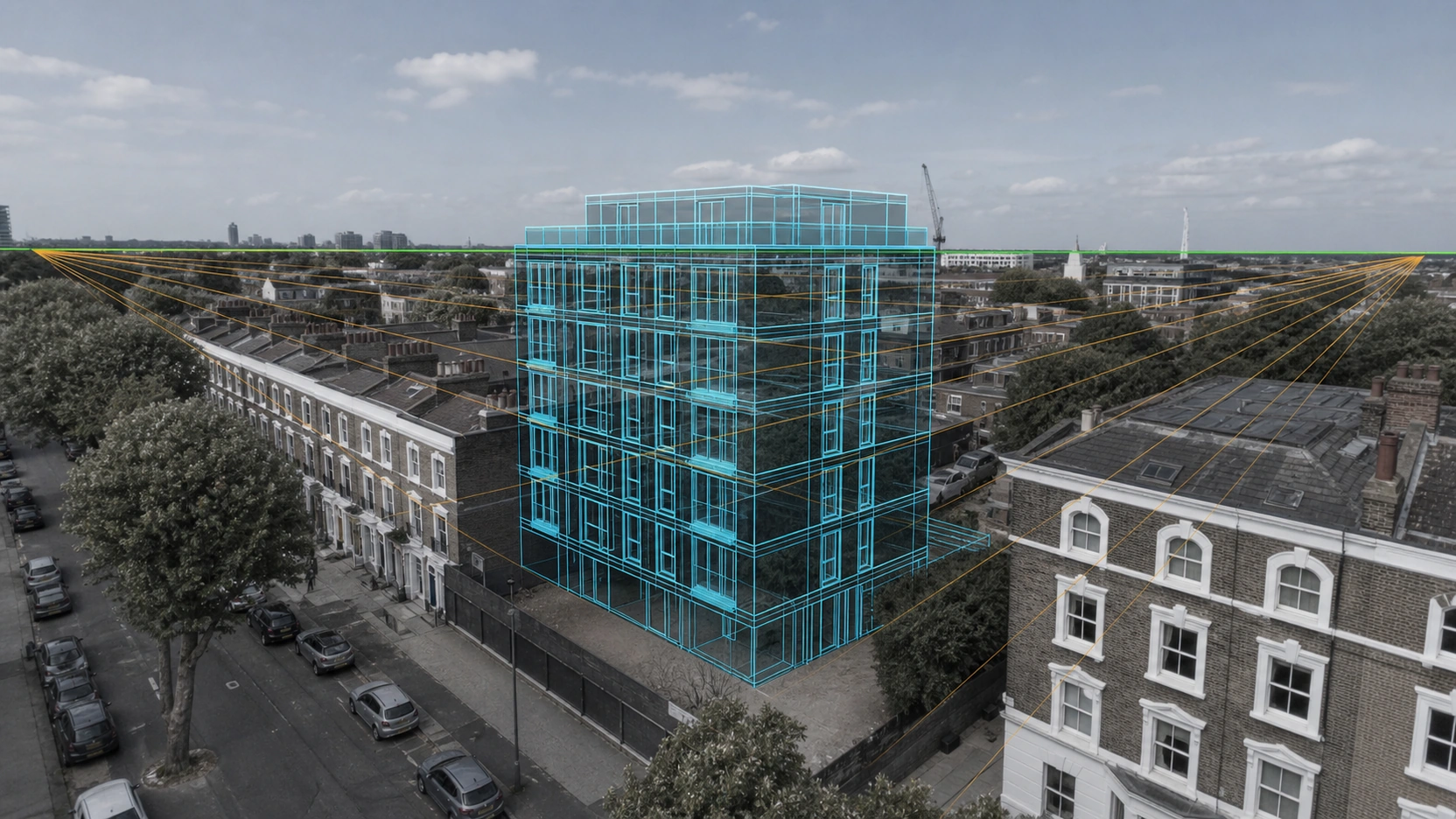
- Perspective and vanishing points: All parallel lines in a real photograph converge to vanishing points on the horizon line. The CGI camera must share the same vanishing points as the real photograph. If the perspective is slightly off, vertical edges of the CGI building appear to lean inward or outward relative to real vertical elements in the photo.
- Camera height and horizon line: The horizon line in any photograph is always at exactly the height of the camera lens. A drone at 40 metres altitude has its horizon at 40 metres. An error of 2-3 metres in camera height will cause the CGI building to float above or sink below where it should sit relative to the foreground.
Tools Used
fSpy is the standard open-source camera match tool for marketing-grade exterior rendering compositing. The artist loads the drone image, marks two sets of parallel lines (aligned to known parallel features, building edges, road kerbs, fence lines), and marks the horizon line. fSpy calculates the camera’s focal length, rotation, and position and exports the matched parameters directly into Blender, 3ds Max, or Cinema 4D as a calibrated camera preset. For planning-grade: 3ds Max Perspective Match, or a photogrammetry pipeline using known ground control points to produce a mathematically calibrated camera.
Lighting Match: The Shadow Direction Test
After the camera match, the second most common reason an exterior rendering composite fails to read as real is incorrect shadow direction or shadow density.
Sun Position Verification
The professional workflow:
- Identify shadow direction in the drone photograph from an existing site feature, a tree, a fence post, a parked car. Note which direction the shadow falls: this is the inverse of the sun’s azimuth.
- Verify the sun’s azimuth and elevation angle for the exact time and date of the drone capture using the EXIF timestamp and GPS coordinates, cross-referenced with a solar position calculator (NOAA Solar Calculator or SunCalc.org).
- Configure the CGI renderer’s sun light to match this azimuth and elevation angle exactly.
This is why the drone EXIF timestamp matters: it allows the solar position to be reconstructed independently and verified against the shadows visible in the photograph.
Shadow Density and Light Quality
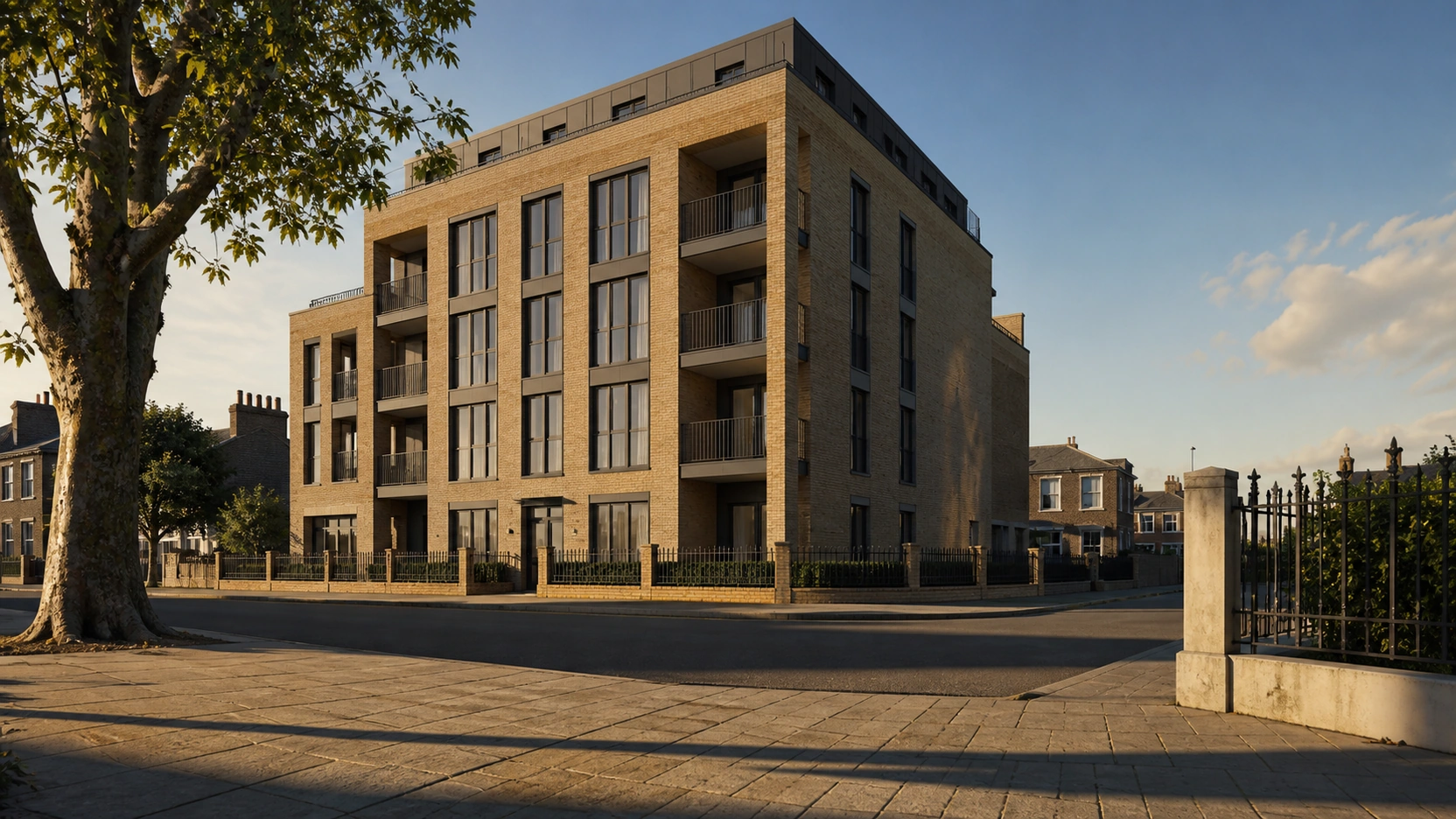
Shadow density must also match. A drone photograph taken under hard directional sunlight at noon shows crisp, high-contrast shadows with sharp edges. An overcast sky produces soft, diffuse shadows with no clear directionality. If the base image shows soft overcast light and the CGI building has hard, sharp shadows, or vice versa, the composite is immediately unconvincing. The renderer’s sky model must match the base image’s light quality, not the ideal lighting for the building.
For marketing composites, studios sometimes choose to reshoot the base image on a better-light day rather than compromise the CGI shadow quality. For planning-grade verified views, the base image date and time are fixed by the survey methodology and cannot be changed.
Post-Production: Where the Composite Is Finished
With the camera matched and the shadows aligned, the CGI render is brought into Photoshop or Nuke for compositing with the drone base photograph.
Colour Matching
The CGI render is produced in a linear colour space. The drone photograph has been processed through the drone camera’s sensor profile and colour science. Studios pull a reference match from an area where CGI and photo share the same material, a road, a pavement, an existing wall, and adjust the CGI’s tonal response until the shared material reads identically in both layers.
Atmospheric Haze
Real photography shows atmospheric perspective: distant objects appear slightly softer and lower in contrast. A CGI building rendered in isolation has no atmospheric haze. Adding a subtle atmospheric layer, a low-opacity fog layer that increases with distance from the camera, grounds the CGI building in the atmospheric depth of the real photograph.
Edge Masking and Blending
The mask at the edge of the CGI building, where it meets the real sky and the real site, is the most technically demanding element of the compositing stage. A hard mask edge produces a visible seam. A feathered mask that accurately follows the building silhouette while allowing natural sky and ground-level context to interact with the building perimeter is the mark of a professional exterior rendering composite.
At RenderInfinity, exterior rendering photomontage projects receive a dedicated pre-production review: the drone base image is assessed for resolution, ISO, RAW format availability, and EXIF completeness before compositing begins. Projects requiring planning-grade verified views are flagged for RTK survey coordination before site capture.
For how exterior rendering composites integrate into a full development marketing pack alongside floor plans and interior renders, see our post on 3D exterior rendering services: 2026 pricing and timelines.
The Composite in Practice: What to Brief
When commissioning an exterior rendering photomontage or verified view:
- Specify the output standard: marketing composite or planning-grade verified view, these require different site data and different delivery documentation
- Provide the drone base image in RAW format at ISO ≤800, EXIF intact
- Confirm the viewpoint: for planning grade, a public viewpoint defined in the LVIA methodology; for marketing, the best-angle viewpoint chosen by the studio
- Provide site survey data for planning grade: RTK GPS camera position, ground control point locations, survey date and time
- Share the CGI model: the same model used for standalone exterior renders, exported in the studio’s preferred format (.FBX or .MAX)
- Specify the output format: for planning, A2 at 300dpi TIFF plus methodology documentation; for marketing, TIFF/PSD master plus web JPEGs
Visit our exterior rendering services page to enquire about photomontage or AVR Level 3 verified view projects.
Key Takeaways
- Exterior rendering compositing blends a photorealistic 3D building model into a real drone photograph using camera matching, lighting alignment, and post-production compositing. The output exists at two standards: marketing composite (visual appeal, no methodological constraints) and planning-grade verified view (GLVIA3/AVR Level 3, RTK GPS survey, solar position documentation, methodology statement).
- The drone base image must meet minimum technical requirements before compositing can begin: 20-24MP resolution, RAW format (JPEG compression creates a visible boundary with CGI), ISO ≤800 (higher ISO produces noise that cannot be seamlessly matched with a clean CGI render), and complete EXIF metadata including focal length, timestamp, and GPS position.
- The camera match, replicating the drone camera’s focal length, perspective vanishing points, and height in the CGI camera, is the single most important technical step. Errors in focal length produce a building that is too wide or too narrow. Errors in vanishing point alignment produce a building that appears to lean. Errors in camera height produce a building that floats or sinks in the scene.
- Shadow direction and density must match the base photograph’s solar conditions. The sun’s azimuth and elevation at the time of the drone capture are reconstructed from the EXIF timestamp and GPS coordinates using a solar position calculator. Hard shadows in a soft-light base photograph, or soft shadows in a hard-light base photograph, are immediately detectable without technical knowledge.
- Post-production compositing bridges the visual gap between the CGI render and the drone photograph through colour matching (from a shared material reference point), atmospheric haze addition for distance, and precise edge masking at the building silhouette. Planning-grade composites are delivered with a methodology documentation set, base photograph, wireframe overlay, camera position map, and methodology statement, alongside the final image.
Frequently Asked Questions
What is an exterior rendering photomontage?
An exterior rendering photomontage is a composite image that places a photorealistic 3D CGI building model precisely within a real photograph of the proposed development site, typically a drone photograph. The 3D model is camera-matched to the real photograph (matching focal length, perspective, and camera height), lit to match the solar conditions at the time of the photograph, and composited using professional post-production techniques. The result shows how the completed building will appear from a specific viewpoint. Photomontages are produced at two standards: marketing composite and planning-grade verified view (GLVIA3/AVR Level 3).
What is the difference between a marketing composite and a planning-grade verified view for exterior rendering?
A marketing exterior rendering composite can use any drone photograph that produces an attractive result, with lighting and colour adjusted for visual appeal. A planning-grade verified view (AVR Level 3) requires a surveyed camera position (RTK GPS accurate to ±5cm), a calibrated focal length (50mm full-frame equivalent), shadow direction and density matched to documented solar conditions at the time and date of the photograph, and no colour manipulation that would understate visual impact. It must be delivered with a methodology statement, base photograph, wireframe overlay, and camera position map. The visual outputs may look identical, the methodology and documentation requirements are entirely different.
Why does exterior rendering compositing require RAW format drone photographs?
JPEG-compressed drone photographs use lossy compression that approximates fine image detail. When a photorealistic CGI render (which has no compression) is composited against JPEG-compressed photography, a visible boundary appears at the edge of the composite even with careful masking. RAW format preserves the full sensor data, allowing the studio to colour-grade both the base image and the CGI render to the same colour space before compositing. For planning-grade verified views, RAW format is required. For marketing composites, RAW is strongly preferred, JPEG is acceptable only if no other format is available.
What is fSpy and how is it used in exterior rendering compositing?
fSpy is a free, open-source camera match tool used in exterior rendering photomontage production. The artist loads the drone photograph into fSpy, marks two sets of parallel lines aligned to known parallel features in the scene (building edges, road kerbs, fence lines), and marks the horizon line. fSpy calculates the camera’s focal length, rotation, and position from these reference lines and exports the matched parameters directly into Blender, 3ds Max, or Cinema 4D as a calibrated camera preset. This ensures the CGI model’s perspective aligns precisely with the real photograph’s perspective, eliminating the leaning, tilting, or floating that results from an approximate camera match.
When is an exterior rendering photomontage required for a UK planning application?
UK planning authorities require photomontages, specifically AVR Level 3 verified views, for major development applications where the visual impact on the surrounding landscape or townscape is a material consideration. This typically includes major residential and commercial developments in sensitive landscape or heritage settings, tall buildings in urban areas covered by view management frameworks (such as the London View Management Framework), wind energy projects, and any application where the EIA scoping opinion specifies visual impact assessment. The GLVIA3 (Guidelines for Landscape and Visual Impact Assessment, Third Edition) is the current UK standard for LVIA methodology. Confirm specific visualisation requirements with the LPA at pre-application stage.
Conclusion
Exterior rendering compositing, blending a 3D facade into a real drone photograph, is a precise technical workflow with two distinct output standards. A marketing composite serves brochures, websites, and sales materials. A planning-grade verified view serves planning authority submissions and visual impact assessments, with GLVIA3-compliant methodology and documentation. The quality of the base drone photograph, the precision of the camera match, and the accuracy of the shadow alignment determine whether the result is a credible image or an obvious digital artefact.
At RenderInfinity, photomontage projects are pre-screened for base image quality and output standard before production begins. Visit our exterior rendering services page to enquire about photomontage or AVR Level 3 verified view projects.