

3D Rendering Software for Interior Design: Mac or PC – Start with Software, Not Hardware
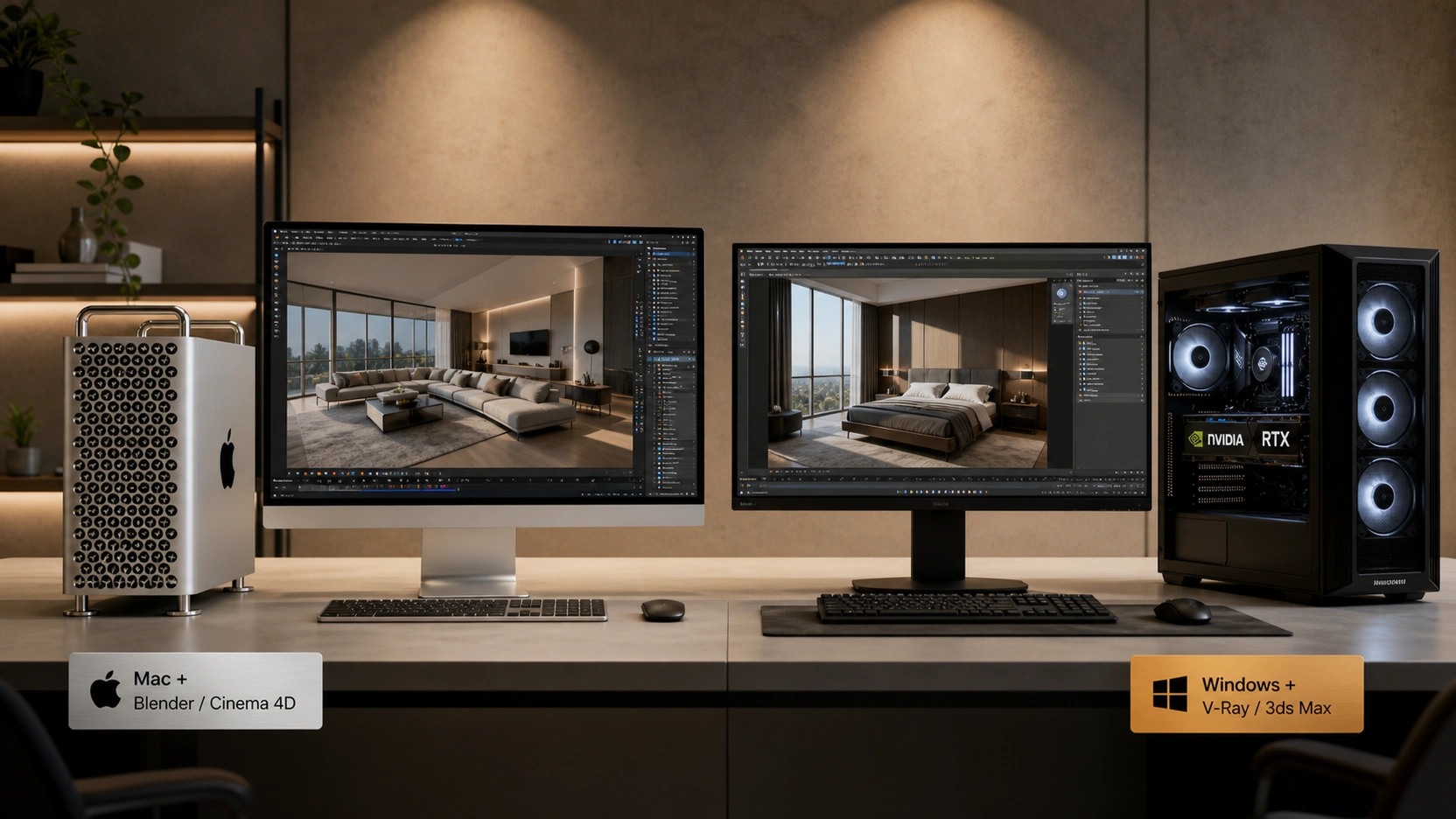
The dominant 3D rendering software for interior design – 3ds Max with V-Ray or Corona, runs on Windows only. 3ds Max has no macOS version. Corona Renderer has no macOS version. V-Ray is available for Mac, but its GPU acceleration mode requires NVIDIA CUDA, which is not available on Apple Silicon. A studio whose pipeline is 3ds Max and V-Ray GPU does not have a hardware preference question to answer – it has a platform requirement.
The Mac vs PC question becomes genuinely open only for studios running Blender, Cinema 4D, or Twinmotion, where Apple Silicon support is native and capable. For everything else, the software stack decides first.
This post maps which 3D rendering software for interior design runs on each platform, compares rendering performance profiles of Apple Silicon and NVIDIA RTX hardware, addresses the unified memory advantage for complex scenes, and provides a workflow-type decision framework.
Software Compatibility: What Runs Where
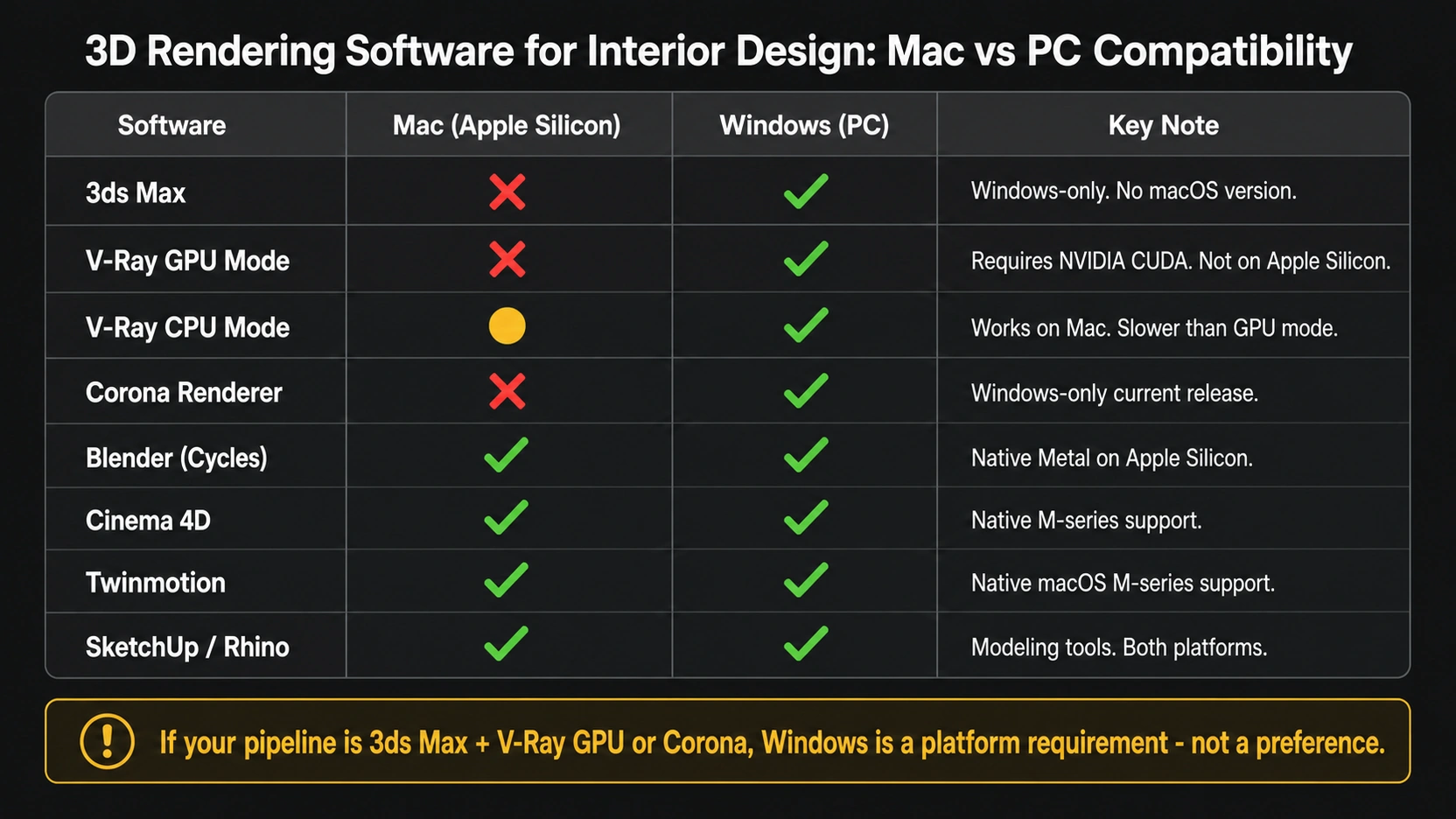
This is the most useful table missing from every top result on this topic:
| Software | Mac (Apple Silicon) | Windows (PC) | Key Note |
|---|---|---|---|
| 3ds Max | No | Yes | Windows-only. No macOS version. |
| V-Ray GPU Mode | No | Yes | Requires NVIDIA CUDA. Not on Apple Silicon. |
| V-Ray CPU Mode | Yes | Yes | Works on Mac. Slower than GPU mode for production volume. |
| Corona Renderer | No | Yes | Windows-only as of current release. |
| Blender (Cycles) | Yes (native Metal) | Yes | Fully native Apple Silicon via Metal GPU rendering. |
| Cinema 4D | Yes (native M-series) | Yes | Native M-series support. Strong for visualization. |
| Twinmotion | Yes | Yes | Native macOS M-series support. |
| SketchUp / Rhino | Yes | Yes | Modeling tools. Both platforms. |
The decision tree: if the pipeline is 3ds Max plus V-Ray GPU or Corona, Windows is a platform requirement, not a choice. If the pipeline is Blender or Cinema 4D, Mac and Windows are both viable professional options. If the pipeline is Twinmotion for interactive walkthroughs, both platforms are fully supported.
Rendering Performance: Apple Silicon vs NVIDIA RTX
NVIDIA RTX – CUDA and GPU Path Tracing
For 3D rendering software for interior design that uses GPU-accelerated path tracing – V-Ray GPU, Redshift, OctaneRender – NVIDIA RTX hardware on Windows is the professional standard. CUDA (Compute Unified Device Architecture) is the acceleration layer that most rendering engines are built around. The RTX 4090 (24GB VRAM) runs V-Ray GPU at speeds that no Apple Silicon chip currently matches for equivalent scene complexity.
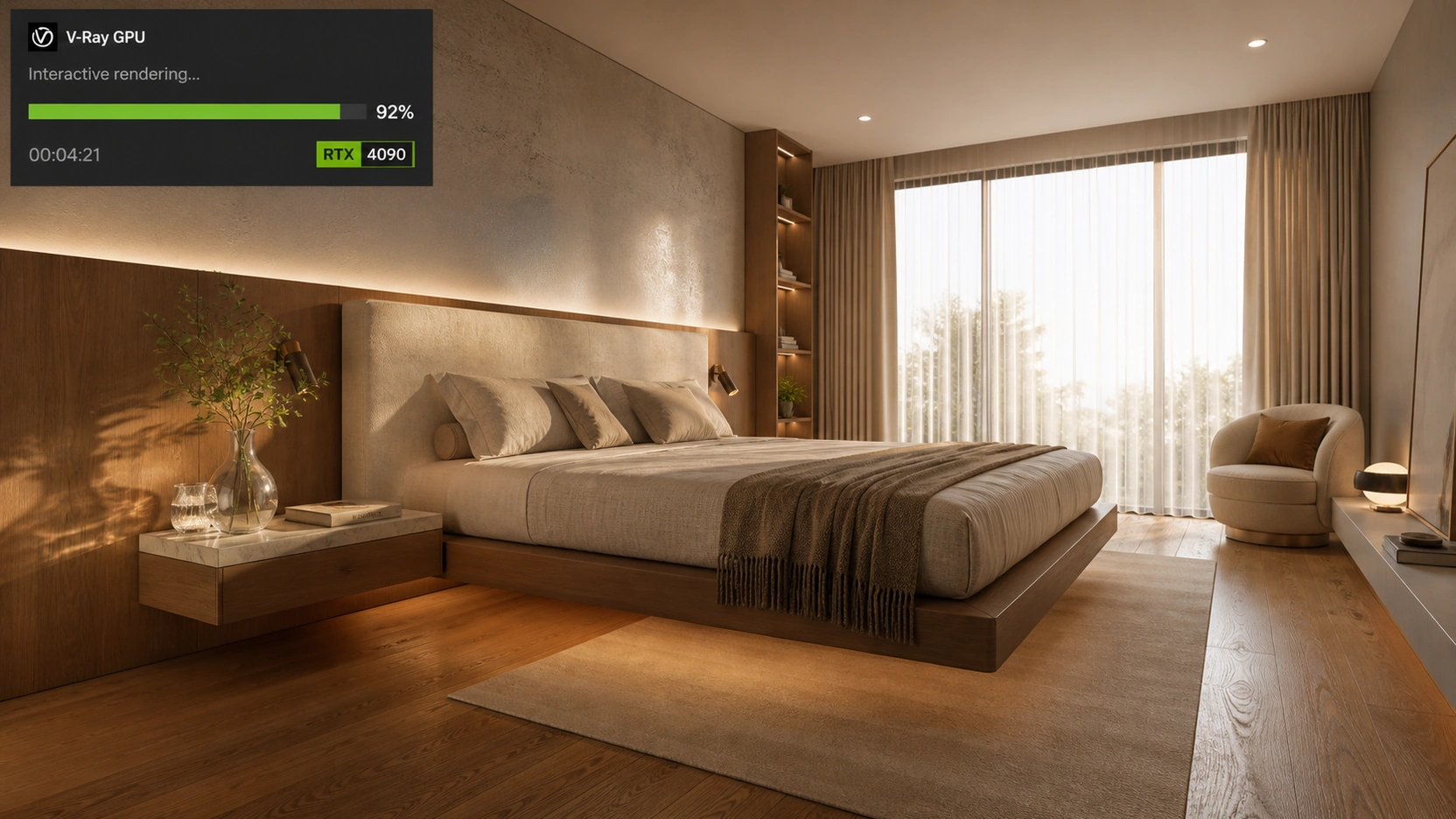
For interior rendering studios with volume output requirements (multiple rooms per week, fast revision cycles), the RTX advantage in V-Ray GPU mode is real. A production-resolution V-Ray GPU render completes in minutes on an RTX 4090. The same scene in V-Ray CPU mode on Apple Silicon takes longer at equivalent quality settings with complex lighting, GI bounces, and high-resolution texture maps.
The second RTX advantage is real-time viewport feedback: NVIDIA’s RTX architecture enables near-real-time ray-traced preview in V-Ray interactive mode. Adjusting a material or light source produces visual feedback within seconds. This iteration speed – not just final render time is where GPU hardware changes the day-to-day interior rendering workflow.
Apple Silicon (M-series) : Unified Memory and Thermal Efficiency
Apple Silicon’s M4 Max and M4 Ultra chips are genuinely competitive hardware for 3D rendering software for interior design running natively on macOS : specifically Blender, Cinema 4D, and Twinmotion. For those pipelines, M-series performance rivals mid-range to high-end Windows workstations.
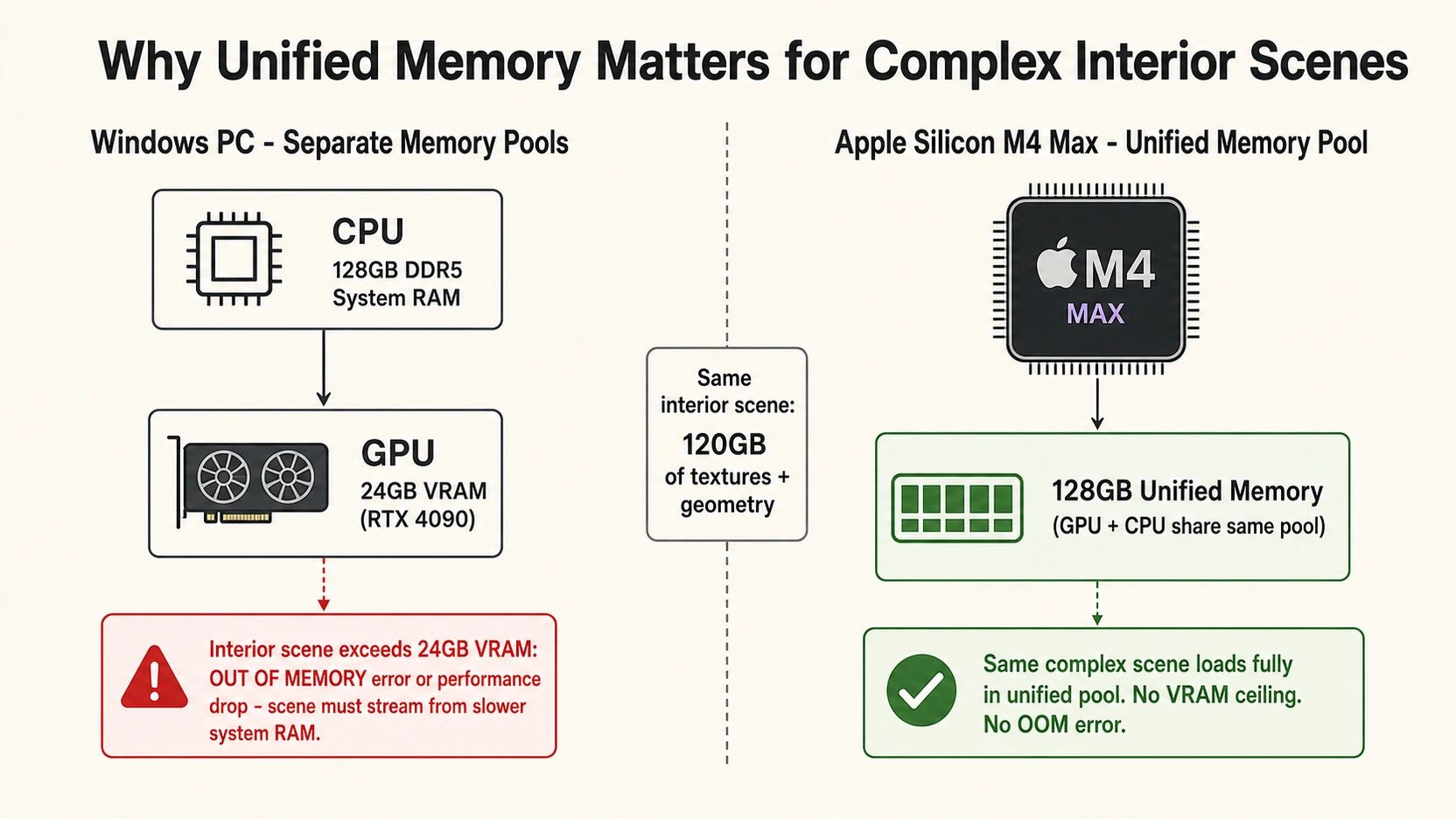
The key Apple Silicon advantage is unified memory architecture. On a Windows workstation, the GPU has 24GB VRAM (RTX 4090) and the CPU has separate system RAM. A complex interior scene with 100GB+ of high-resolution texture maps, dense geometry, and large HDRI lighting exceeds 24GB VRAM – the render engine streams from system RAM (slow) or crashes with an out-of-memory error.
On an M4 Max or M4 Ultra with 128GB unified memory, the GPU and CPU share the same memory pool. A scene that OOM-crashes a 24GB VRAM GPU on Windows can render on Apple Silicon because the full 128GB pool is accessible to both compute units. For interior designers working with very complex scenes, large commercial interiors, scenes with thousands of unique texture assets, this is a genuine capability advantage. It is not a render speed advantage; it is a scene complexity ceiling advantage.
Hardware Recommendations by Pipeline
Pipeline 1 : 3ds Max with V-Ray GPU or Corona
Platform: Windows only. No decision required — these tools do not run on macOS. Recommended hardware:
- GPU: NVIDIA RTX 4090 (24GB VRAM) for primary render workstation. RTX 4080 (16GB) for most single-room projects.
- CPU: AMD Ryzen Threadripper PRO (64-core or 96-core) for CPU-assisted hybrid rendering and heavy scene computation
- RAM: 128GB to 256GB ECC DDR5, needed when scenes exceed GPU VRAM capacity and the engine falls back to CPU+RAM mode
- Storage: Enterprise NVMe M.2 SSD array, multi-terabyte , interior projects with full 4K texture libraries require fast I/O
Pipeline 2 : Blender (Cycles) or Cinema 4D
Platform: Mac or Windows – both are valid.
- Mac: Apple M4 Max or M4 Ultra (64GB unified memory minimum, 128GB recommended for complex scenes). Blender Metal GPU rendering is fully native — competitive with RTX 3080-class performance for most interior scenes.
- Windows: NVIDIA RTX 4070 or RTX 4080 with CUDA acceleration. 64GB to 128GB system RAM. For Blender specifically, OptiX rendering on RTX hardware is faster than Metal on comparable price-point hardware.
Pipeline 3 : Twinmotion or Walkthrough
Platform: Mac or Windows. Twinmotion supports both platforms natively. Apple M-series chips handle Lumen GI in Twinmotion well. For higher-complexity interactive experiences or VR, Windows with RTX hardware is preferred. See our guide on architecture walkthrough software: UE5.4, Twinmotion, and Lumion compared for the full walkthrough software decision framework.
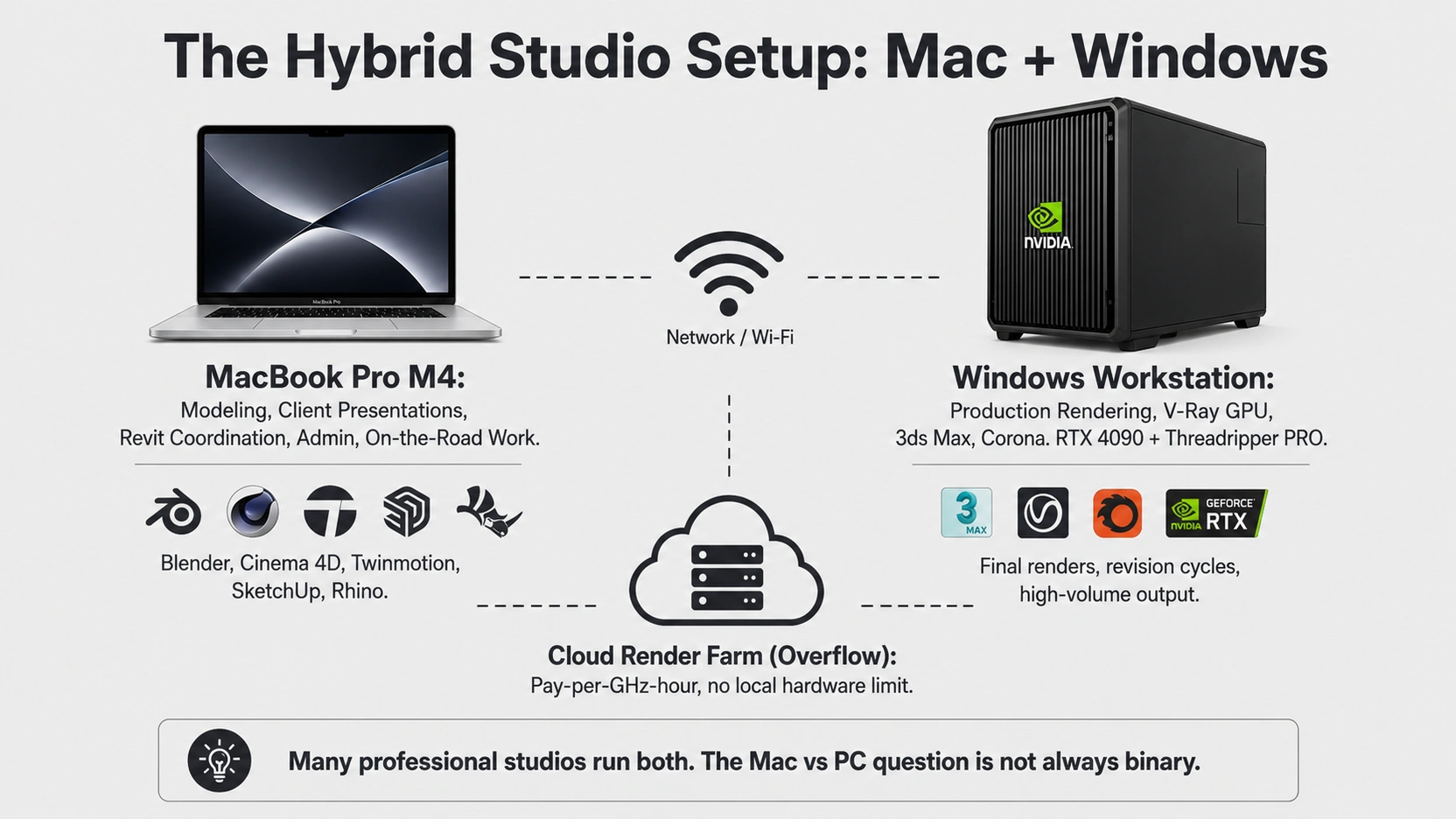
The Hybrid Studio Setup
The most important thing the “Mac vs PC for interior rendering” framing misrepresents: many professional interior design studios already run both.
The typical mid-to-large studio setup:
- Windows workstation (or render farm access) for final production renders in 3ds Max plus V-Ray GPU or Corona
- MacBook Pro (M4) for 3D modeling, client presentations, Revit coordination, admin, and project management
- Cloud rendering for overflow volume: farm access on demand, billed per GHz-hour, bypasses local hardware limits entirely
For a solo interior designer deciding on a primary workstation, the answer depends on the software pipeline. For a studio buying supplementary hardware for on-the-road work, Mac fits naturally alongside a Windows render workstation.
For a comparison of the rendering engines used in interior projects, see our post on interior design rendering software: V-Ray vs Corona.
At RenderInfinity, production rendering runs on Windows workstations with NVIDIA RTX hardware and Threadripper PRO CPUs for the 3ds Max and V-Ray pipeline. Twinmotion and real-time interactive projects are handled across both platforms.
What to Know
- 3ds Max and Corona Renderer are Windows-only — if those are in the pipeline, Mac is not an option regardless of hardware preference. V-Ray GPU mode requires NVIDIA CUDA, not available on Apple Silicon. V-Ray CPU mode works on Mac but is slower for production volume.
- Blender (Cycles via Metal), Cinema 4D (native M-series), and Twinmotion run on both platforms natively. For these pipelines, Mac is a fully capable professional platform for 3D rendering of interior design work.
- Apple Silicon unified memory advantage: M4 Max and M4 Ultra with 128GB unified memory hold interior scenes that exceed the 24GB VRAM ceiling of an RTX 4090. This is a scene complexity advantage, not a render speed advantage.
- NVIDIA RTX speed advantage: V-Ray GPU mode on an RTX 4090 renders faster than V-Ray CPU on any Apple Silicon chip for equivalent scenes. RTX also provides near-real-time viewport preview — iteration speed during the design process is where GPU hardware makes the largest daily difference.
- Many professional studios run a hybrid: Windows workstation or farm for production rendering, Mac for modeling and client-facing work. The Mac vs PC question is not always binary for established practices.
Frequently Asked Questions
What 3D rendering software for interior design works on Mac?
Blender (fully native Apple Silicon via Metal GPU rendering), Cinema 4D (native M-series optimization), Twinmotion (full macOS support), SketchUp, and Rhino all run natively on Mac. V-Ray is available on macOS but GPU mode requires NVIDIA CUDA — on Apple Silicon, V-Ray is limited to CPU mode, which is slower for production-volume interior rendering. 3ds Max and Corona Renderer are Windows-only with no macOS version available.
Can I run 3ds Max on a Mac for interior design rendering?
No. 3ds Max does not have a macOS version and has no announced plans for one. Interior designers requiring 3ds Max must use Windows hardware. Alternatives for Mac users include Blender or Cinema 4D as host applications — both run natively on Apple Silicon and support professional-grade 3D rendering of interior design work. V-Ray for Mac is available but limited to CPU mode without NVIDIA CUDA GPU acceleration.
Is Apple Silicon good enough for 3D interior design rendering?
For pipelines using Blender or Cinema 4D, Apple Silicon M4 Max and M4 Ultra are fully professional-grade platforms for 3D rendering of interior design work. Blender’s Metal GPU path tracing is competitive with mid-to-high-range NVIDIA RTX performance. The unified memory architecture (up to 128GB) provides a genuine scene complexity advantage over a 24GB VRAM GPU for very large texture-heavy interior scenes. For V-Ray GPU or Corona (both optimized for NVIDIA CUDA and Windows), Apple Silicon is not the correct platform choice.
What is the best PC hardware for interior design 3D rendering?
For a professional interior design rendering workstation on Windows: GPU — NVIDIA RTX 4090 (24GB VRAM); CPU — AMD Ryzen Threadripper PRO 64-core or 96-core for hybrid rendering and scene computation; RAM — 128GB to 256GB ECC DDR5 for scenes exceeding GPU VRAM; Storage — enterprise NVMe M.2 SSD arrays for fast texture I/O on large interior projects. This configuration supports both V-Ray GPU path tracing and V-Ray CPU or Corona render modes without bottlenecking either.
Is V-Ray available for Mac for interior design?
Yes, V-Ray is available for macOS. However, V-Ray’s GPU acceleration mode requires NVIDIA CUDA, which is not supported on Apple Silicon. On Mac, V-Ray operates in CPU mode only. For occasional renders or lighter interior scenes, V-Ray CPU on Mac is functional. For a studio with volume interior rendering output, V-Ray GPU mode on a Windows workstation with an RTX 4090 provides a substantial speed advantage that V-Ray CPU mode on Apple Silicon cannot match at production resolution.
Conclusion
The 3D rendering software for interior design question is answered by the software pipeline first, not the hardware preference. If 3ds Max and Corona or V-Ray GPU are in the pipeline, Windows is a platform requirement. If Blender or Cinema 4D are the host applications, Mac and Windows are both professionally capable, with each offering distinct advantages for different scene types and working styles.