

Interior Design Rendering Software: V-Ray 7 vs Corona,A Workflow Decision
This post covers the core technical differences, CPU vs GPU rendering implications, workflow comparison by project type, and the real cost of switching between the two.
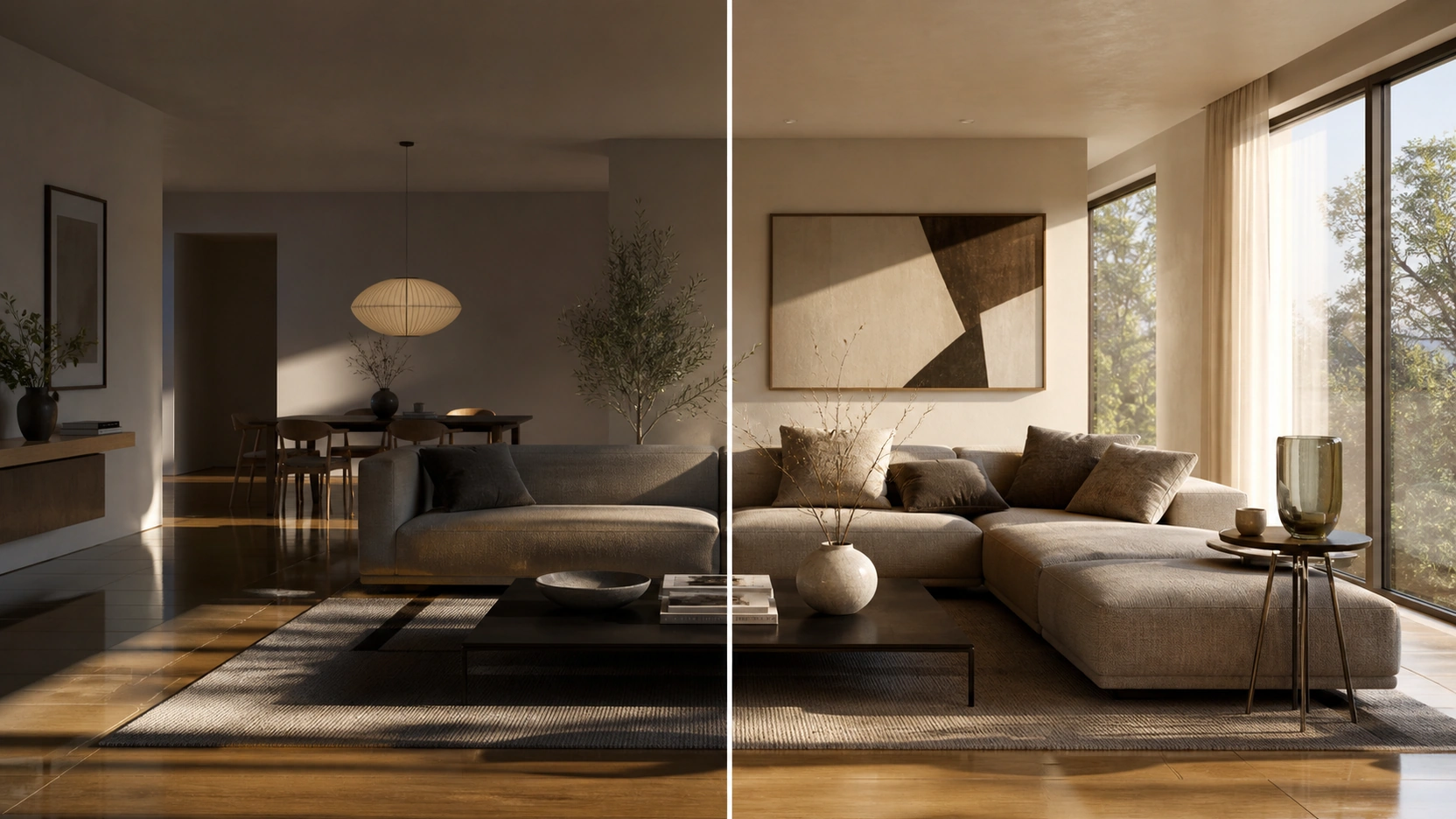
The Core Technical Differences
Rendering Engine Philosophy
Corona was built with a simplicity-first philosophy for architectural visualization. Its progressive rendering approach, hit render, set a noise limit of 2% to 3%, walk away, removes most of the sampling parameter decisions that slow setup time. Default settings in Corona produce clean, photorealistic interior lighting without manual bucket configuration, GI balance adjustments, or sampling override passes.
V-Ray was built with a control-first philosophy. Every parameter is accessible: bucket vs progressive rendering modes, separate GI engine selection (Brute Force, Light Cache, Irradiance Map), per-material sampling overrides, adaptive light solver settings. This depth is valuable for complex scenes and mixed-discipline pipelines. It requires more setup time and a longer learning curve to exploit correctly.
A junior artist with 6 months of experience will produce better output faster in Corona. A senior artist with 5 years of V-Ray experience will exploit V-Ray’s parameter depth in ways Corona’s simplified interface cannot replicate.
CPU vs GPU: The Hardware Argument
This is the practical decision that every comparison post on interior design rendering software fails to address clearly.
Corona: CPU only. No native GPU rendering exists in Corona. On a workstation equipped with an RTX 4090, that GPU performs no useful work during a Corona render pass. The studio’s most expensive piece of hardware sits idle.
V-Ray: CPU, GPU, and hybrid. V-Ray supports CPU rendering, GPU rendering (CUDA and RTX), and hybrid CPU+GPU rendering simultaneously. A workstation with an RTX 4090 and a 16-core CPU can run V-Ray in hybrid mode, using both simultaneously for the fastest possible output.
The hardware implication: if your studio has already invested in high-end GPU workstations, V-Ray is the only option of the two that uses that hardware. Corona is a CPU-first renderer by design. Conversely: if your render farm is CPU-based, Corona’s CPU optimization, benchmarks suggest 20 to 35% faster than V-Ray at equivalent quality settings on CPU-only setups for typical interior scenes, is a genuine speed advantage.
LightMix and Denoising
Both V-Ray and Corona implement LightMix in their respective Virtual Frame Buffers (VFB). LightMix allows per-light intensity and colour adjustment post-render without re-rendering. For interior design rendering, this means a single render pass can produce multiple lighting scenarios, full artificial, full natural, combined, by adjusting light sliders in the VFB output.
Both also implement AI-accelerated denoising for early preview at lower pass counts. Artists who have used either for more than six months report no meaningful workflow difference in LightMix or denoising behaviour.
For how LightMix interacts with exterior lighting decisions, see our post on exterior renderings: night vs golden hour lighting.
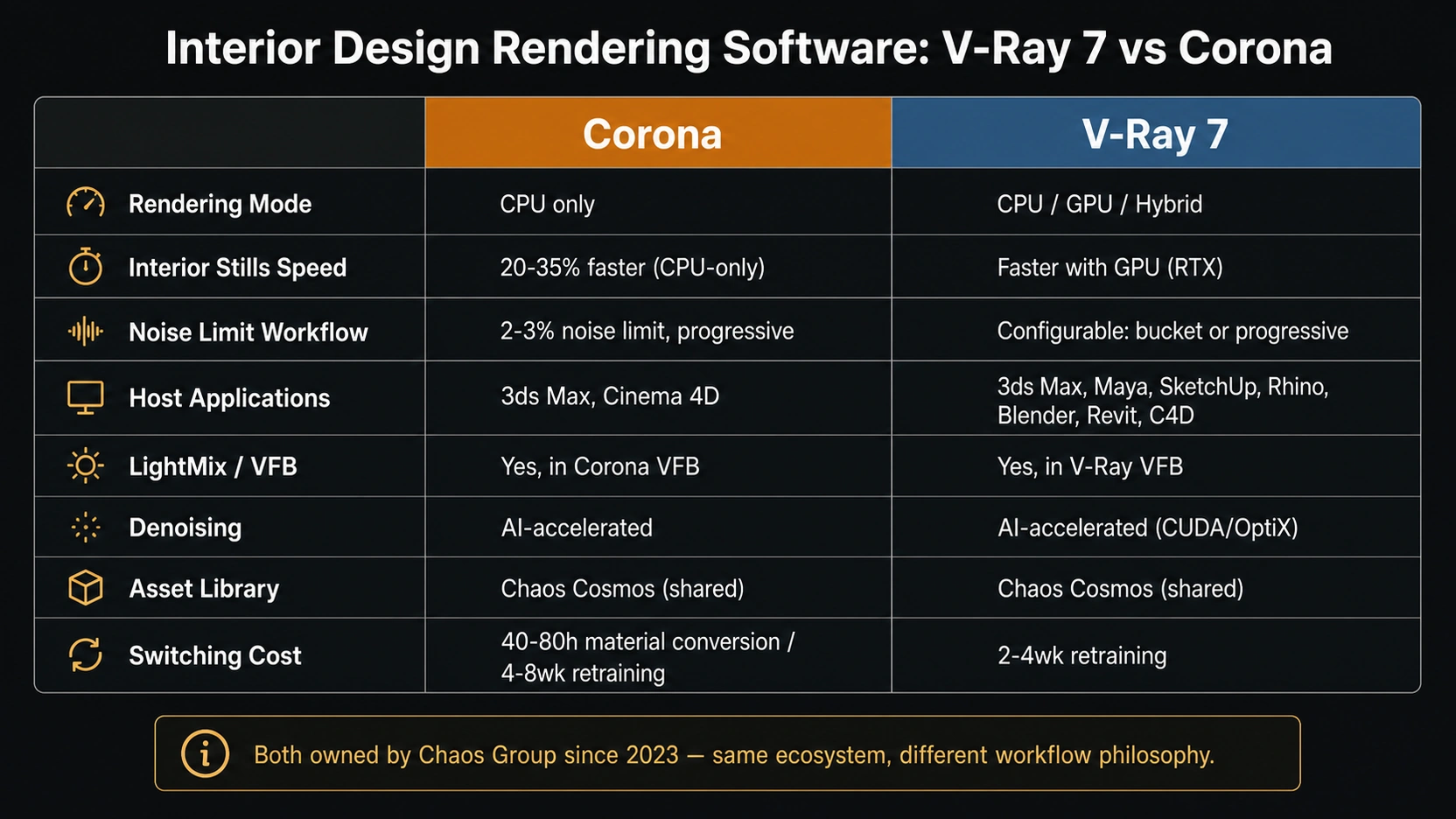
Workflow Comparison by Project Type
Interior Stills – Corona Advantage
For a studio producing primarily interior design still renders – residential bedrooms, living rooms, kitchen scenes – Corona is the faster production tool. The simplified noise limit workflow eliminates setup decisions per render. For interior stills, the Corona workflow delivers:
- Progressive rendering with 2% to 3% noise limit: set and leave, no bucket configuration
- CoronaPhysicalMtl covers fabric, metal, glass, concrete, stone with minimal parameter adjustment
- Built-in Sheen layer for velvet and pile fabrics, see our textile photorealism guide
- LightMix post-render adjustment for natural vs artificial light without re-rendering
Mixed Pipelines – V-Ray Advantage
For a studio running interior stills, exterior rendering, animation, and product visualization across a team, V-Ray’s host application breadth becomes the deciding factor:
- V-Ray host compatibility: 3ds Max, Maya, SketchUp, Rhino, Blender, Revit, Cinema 4D
- Corona host compatibility: 3ds Max and Cinema 4D (primary production support)
A studio where the architect sends Revit files, the visualizer works in 3ds Max, and the landscape designer works in Rhino has an interoperability argument for V-Ray that Corona cannot match. For animation specifically: V-Ray’s GPU and hybrid rendering modes reduce per-frame render time on long-form architectural animation, where the cumulative difference across 1,440 frames (60 seconds at 24fps) is substantial.
GPU Workstation Owners
If your studio’s primary workstation has an RTX 4090 or equivalent high-end GPU, and you are using Corona, that GPU is not contributing to your render output.
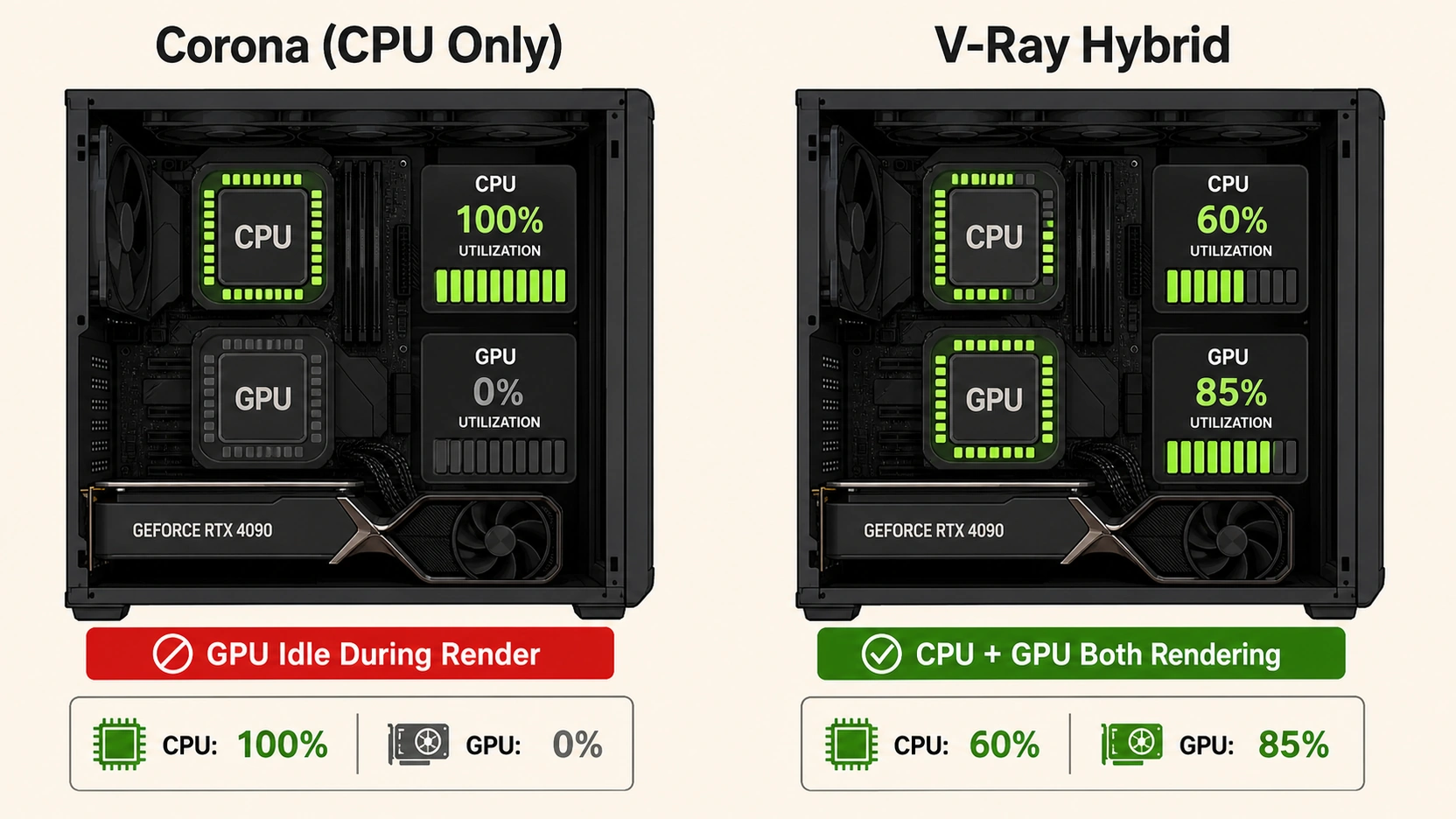
V-Ray hybrid mode on a workstation with an RTX 4090 and a 16-core CPU uses both simultaneously. The GPU handles the bulk of ray calculation; the CPU handles remaining tasks. Combined output is substantially faster than CPU-only for complex interior scenes with many light bounces and high-resolution geometry.
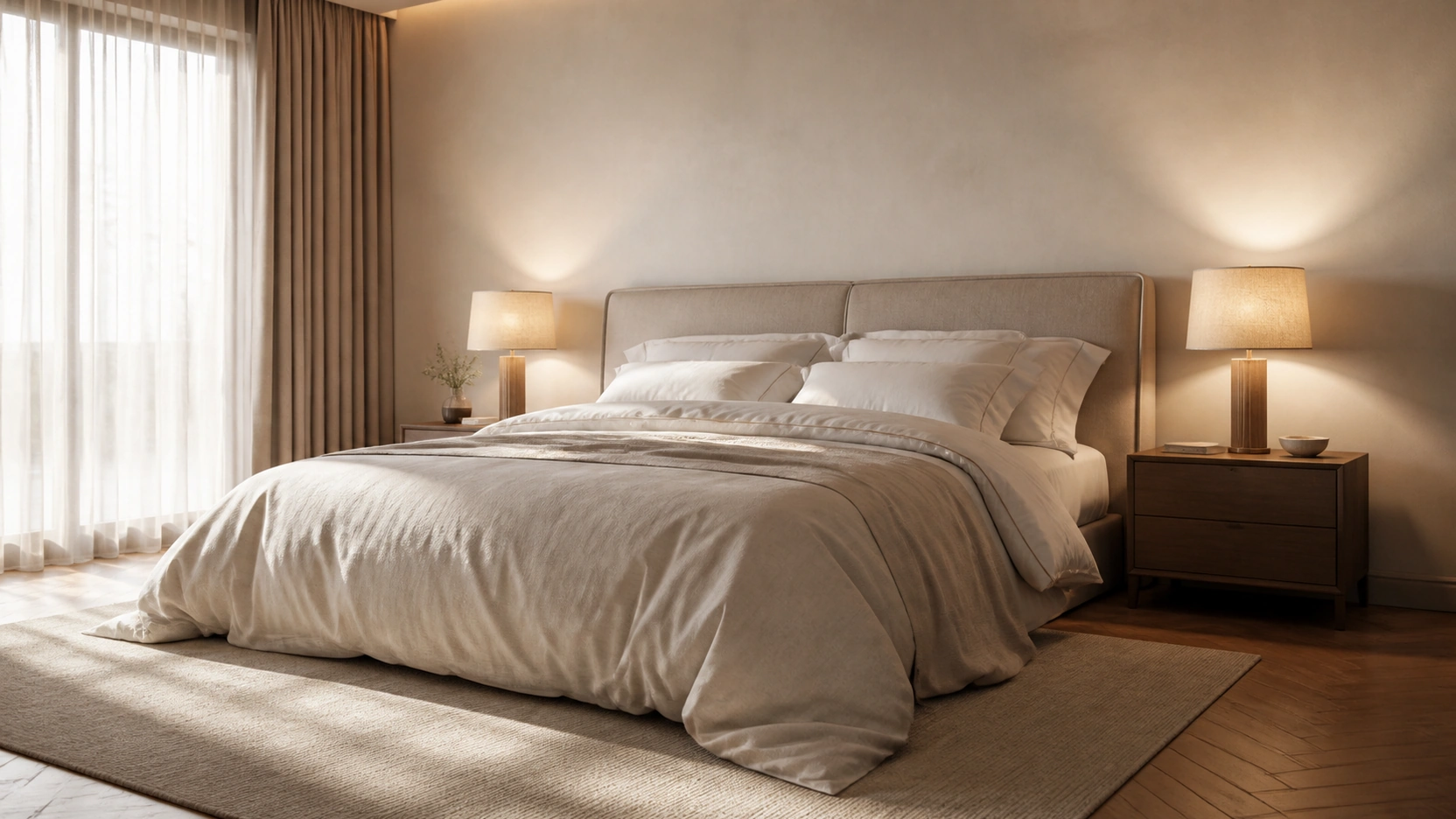
The Switching Cost Question
Corona to V-Ray
Switching from Corona to V-Ray carries costs that most comparisons of interior design rendering software omit entirely:
- Material conversion: CoronaPhysicalMtl does not have a 1:1 equivalent in VRayMtl. Falloff maps, Sheen layers, and Corona-specific procedural materials require manual recreation. A studio with 200 to 400 saved materials faces 40 to 80 hours of conversion work.
- Staff retraining: An artist productive in Corona typically requires 4 to 8 weeks of daily V-Ray use to reach equivalent productivity, the parameter vocabulary is different and defaults produce different results.
- Project file migration: Existing project files cannot be reliably migrated. New projects start in V-Ray; legacy projects remain in Corona. A studio mid-pipeline cannot switch mid-project.
V-Ray to Corona
The transition in the opposite direction is generally faster. Corona’s simplified defaults absorb some V-Ray parameter decisions automatically. Estimated retraining: 2 to 4 weeks. V-Ray materials still require similar manual recreation in CoronaPhysicalMtl — the conversion is not automated in either direction.
Both engines share the Chaos Cosmos asset library. Scanned materials and pre-built 3D assets are accessible from either engine without re-purchase, this is a meaningful benefit of both products being owned by the same parent company.
Which to Choose: A Decision by Studio Type
Three Studio Profiles
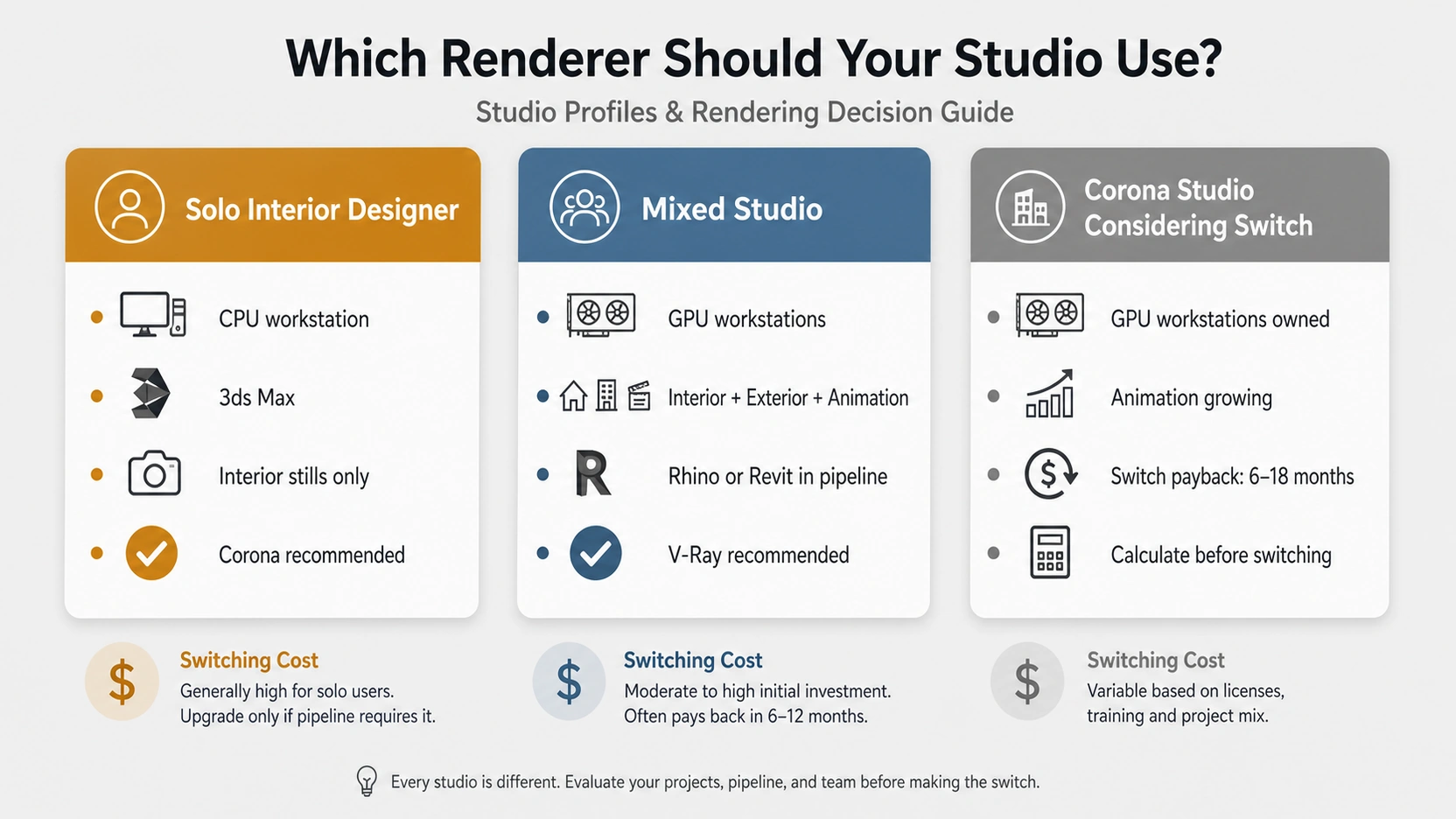
Three studio types, three different correct answers:
- Solo interior designer, 3ds Max, CPU workstation, stills only: Corona. Simpler setup, faster per-scene production, no GPU hardware requirement to justify V-Ray’s complexity.
- Mixed studio- interior + exterior + animation, GPU workstations, Rhino or Revit in pipeline: V-Ray. GPU rendering advantage on animation, host application breadth for the full pipeline, hybrid mode utilises existing hardware investment.
- Established Corona studio considering switching for GPU benefits: Calculate before migrating. The switch cost (40 to 80 hours material conversion, 4 to 8 weeks retraining) must pay back within 12 to 18 months against the GPU render time savings on your specific project mix.
At RenderInfinity, interior design rendering projects run on both engines depending on project type : Corona for fast-turnaround interior still packages and V-Ray for exterior and animation work.
What to Know
- V-Ray 7 and Corona are both Chaos Group products with shared Chaos Cosmos asset libraries. Output quality is comparable at equivalent settings. The decision is workflow-type and hardware-driven, not quality-driven.
- Corona: CPU only. 20 to 35% faster than V-Ray on CPU-only setups for typical interior scenes. Noise limit 2% to 3% for clean output. Host: 3ds Max and Cinema 4D (primary). Simpler defaults, shorter learning curve.
- V-Ray: CPU, GPU, and hybrid. GPU renders (RTX 4090 or equivalent) are substantially faster for complex scenes and animation. Host: 3ds Max, Maya, SketchUp, Rhino, Blender, Revit, Cinema 4D. Steeper learning curve, more parameter control.
- If your studio has high-end GPU workstations and uses Corona, those GPUs contribute nothing during render. V-Ray hybrid mode uses CPU and GPU simultaneously.
- Switching cost Corona to V-Ray: 40 to 80 hours material conversion, 4 to 8 weeks staff retraining. Both engines share Chaos Cosmos, those assets transfer without re-purchase.
Frequently Asked Questions
Which is better for interior design rendering: V-Ray or Corona?
Neither is objectively better, both produce photorealistic interior design renders at professional quality. Corona is faster to set up for interior stills, uses CPU only, and works primarily in 3ds Max and Cinema 4D. V-Ray supports GPU and hybrid rendering, works across more host applications, and gives more parameter control for complex scenes. For a solo interior designer on a CPU workstation: Corona. For a mixed studio with GPU workstations and animation in the pipeline: V-Ray.
Does Corona support GPU rendering?
No. Corona is a CPU-only renderer with no native GPU rendering. V-Ray supports CPU, GPU (CUDA/RTX), and hybrid CPU+GPU rendering. If your studio has invested in high-end GPU workstations (RTX 4090 or equivalent), those GPUs contribute nothing to a Corona render. For studios where GPU investment is already made and render speed matters, this is the most practical hardware argument for choosing V-Ray as your interior design rendering software.
How much faster is Corona vs V-Ray for interior design rendering?
On CPU-only setups for typical interior scenes, Corona benchmarks 20 to 35% faster than V-Ray at equivalent quality settings. This reflects Corona’s streamlined progressive rendering: a 2% to 3% noise limit replaces V-Ray’s sampling parameter decisions. On GPU or hybrid setups, V-Ray’s GPU acceleration reverses this advantage, RTX architecture reduces complex scene render times well below what any CPU-only renderer achieves.
What is LightMix and does it work in both V-Ray and Corona?
LightMix is a post-render light adjustment tool in the Virtual Frame Buffer (VFB) of both renderers. It adjusts intensity and colour of individual lights in a completed render without re-rendering. For interior design rendering, one render pass can produce day and night versions, or full-artificial and full-natural scenarios, by adjusting LightMix sliders. Both V-Ray and Corona implement LightMix with comparable workflow behaviour.
How difficult is it to switch from Corona to V-Ray?
More difficult than most comparisons suggest. CoronaPhysicalMtl does not convert automatically to VRayMtl — materials require manual recreation. A studio with 200 to 400 saved materials faces 40 to 80 hours of conversion work. Staff retraining takes 4 to 8 weeks of daily use to reach productivity parity. Existing project files cannot be reliably migrated. Both engines share the Chaos Cosmos asset library, those assets transfer without re-purchase.
Conclusion
V-Ray 7 and Corona are the two dominant interior design rendering software options in professional archviz, and both produce the same final result when used correctly. The question is not which produces better images, it is which fits your current workflow, hardware, and team structure without requiring a pipeline rebuild to justify the choice.