

Photorealistic Fabrics in Interior Design Renders: The Four-Map Method
Why Fabric Looks Wrong in Interior Design Renders
The Flat Fabric Problem
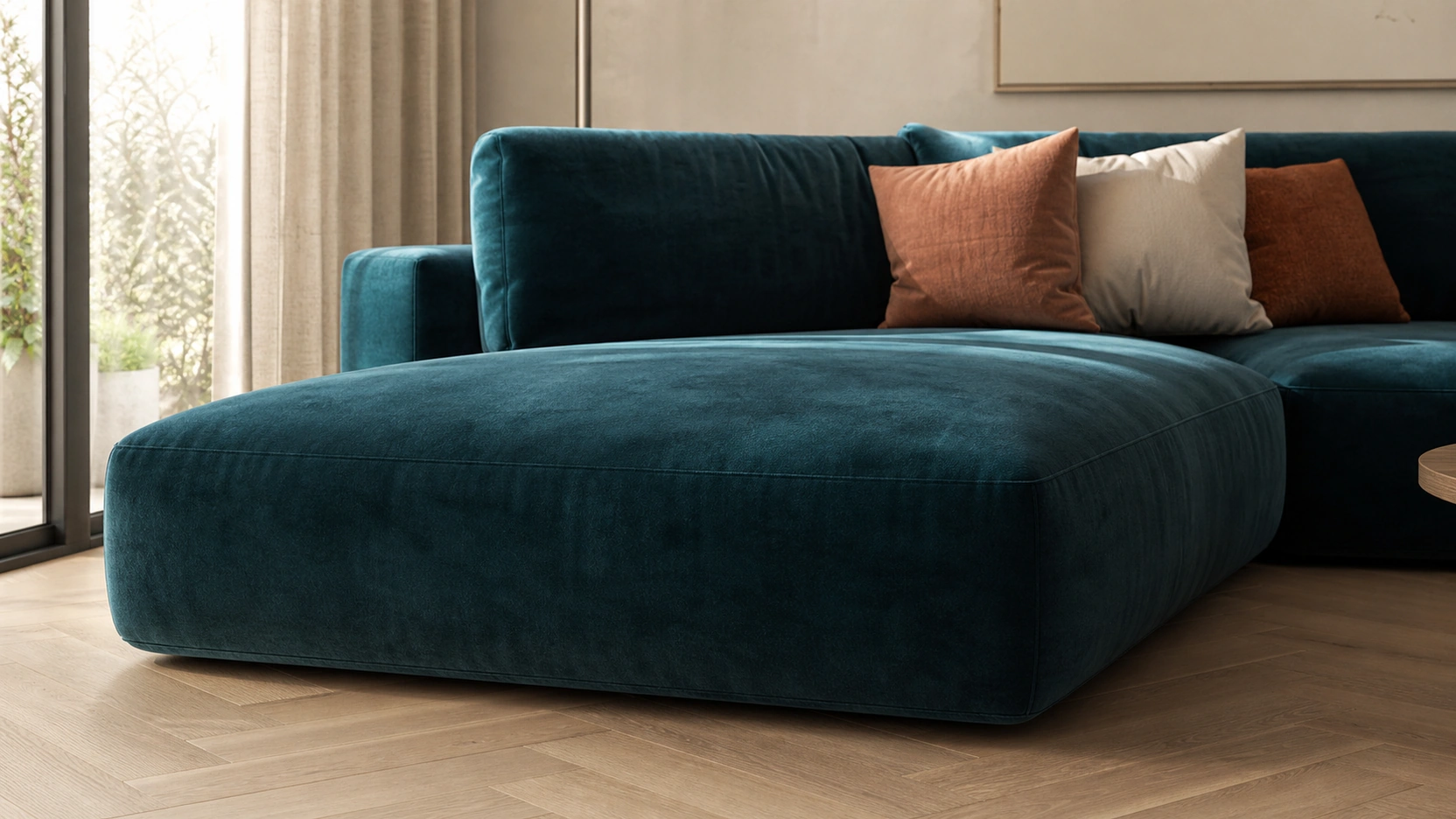
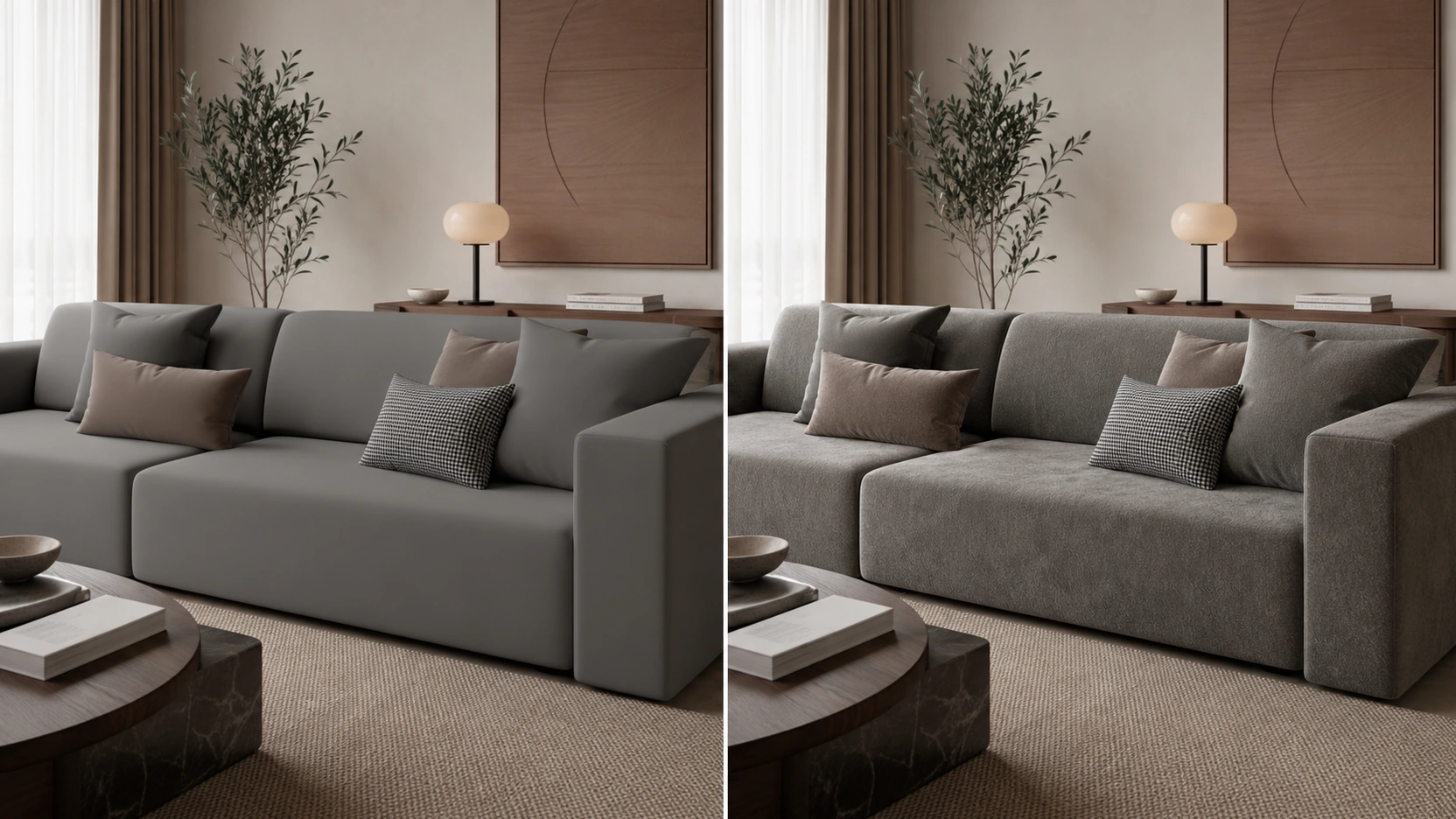
Flat-looking fabric in interior design renders traces to one of three causes: a missing or low-resolution roughness map, an absent normal map, or sofa and cushion geometry with sharp unbeveled edges.
The roughness map is the most important map in the stack. Without it, the material defaults to a uniform reflectivity value. Velvet and cotton reflect light at the fiber level in fundamentally different ways, but a single roughness value cannot represent both. A high-contrast roughness map with dark values in the compressed areas between pile fibers and brighter values at pile peaks is what separates a velvet render from a generic grey surface.
The normal map encodes the micro-geometry of the weave without adding polygon count. A plain cotton cushion has hundreds of thread crossings per square centimetre, each catching light at a slightly different angle. Without the normal map, the material surface is optically flat regardless of what the roughness map and shader are doing.
Sharp edges on sofa arms, cushion corners, and chair frames do not catch light the way real furniture does. A real sofa arm has a fabric wrap that pulls at the corner, creating a soft edge highlight that reads as physical mass. Geometry without a 2mm to 5mm bevel on soft furnishings misses this and reads as CAD output rather than a photograph of furniture.
The Four-Map PBR Stack for Fabrics
Map 1 – Albedo and Map 2 – Normal
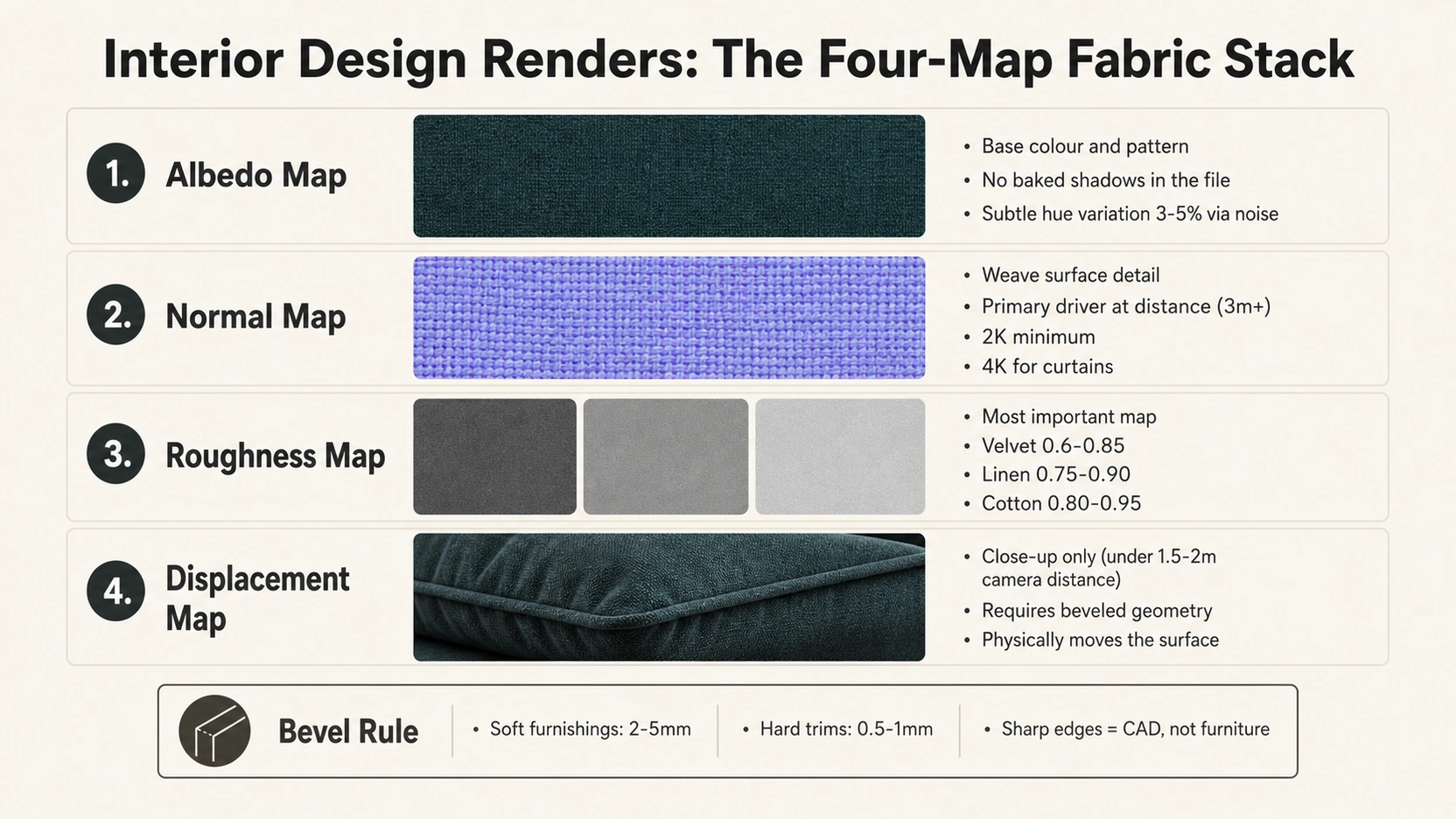
Albedo defines the base colour and pattern of the fabric. No baked shadows or ambient occlusion should exist in the albedo file. The rendering engine applies all lighting dynamically; pre-baked shadows introduce a second layer of shading that reads as permanent dirt on the fabric in the final interior design render.
For velvet, use a near-solid colour albedo with a subtle hue variation of 3 to 5% applied through a noise map. The apparent colour shift that makes velvet look luxurious comes from the sheen effect, not from a complex albedo.
Normal Map encodes the micro-geometry of the weave or knit surface. For shots where the fabric surface is 3 metres or more from the camera, the normal map is the only surface detail map contributing visibly to the fabric’s realism. Use high-resolution normals: minimum 2K for cushion-scale objects, 4K for rugs and full-length curtains. Tile the normal map to match real-world fabric scale: velvet pile repeats at 0.5mm to 2mm intervals, producing approximately 225 to 900 repeats across a 450mm cushion.
Map 3 – Roughness and Map 4 – Displacement
Roughness Map is the primary map differentiating one fabric type from another. Roughness settings by fabric type:
- Velvet: roughness range 0.6 to 0.85. High-contrast roughness map with dark values in the compressed low-pile areas and brighter values at pile peaks where fibers catch directional light.
- Linen: roughness 0.75 to 0.90. Low-contrast or flat roughness map. Linen is consistently matte; surface variation comes from the normal map, not the roughness.
- Cotton: roughness 0.80 to 0.95. Flat uniform roughness. Cotton absorbs light more completely than linen.
Displacement Map: use only for close-up shots where the camera is under 1.5 to 2 metres from the fabric surface. At this distance, displacement physically moves the geometry at cushion folds, button tufting, and fabric edge wraps. A normal map cannot produce physical depth; it fakes surface normal angles but leaves the silhouette smooth. Displacement requires beveled base geometry — applied to sharp-edged sofa mesh, it pinches at corners.
For how close-up focal lengths affect fabric detail visibility in interior design renders, see our guide on rendering for interior design focal length.
Fabric-Specific Settings in V-Ray and Corona
Velvet : Sheen and Falloff
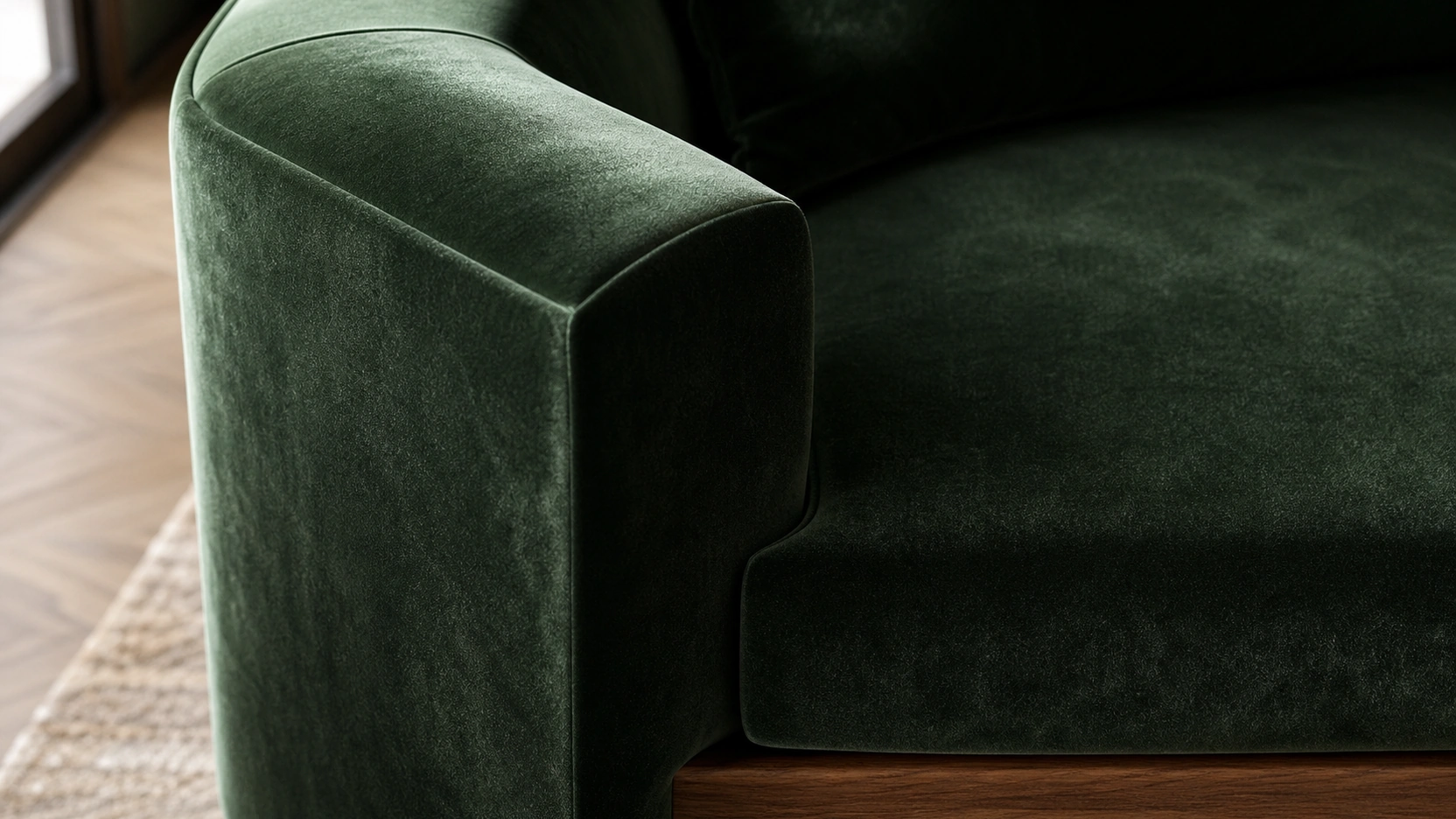
Velvet is defined by its angle-dependent light response. The fabric’s microscopic pile fibers reflect light back toward the source at grazing angles, making the surface appear to shift in colour and brightness as the viewing angle changes.
In Corona (CoronaPhysicalMtl): use the built-in Sheen layer. Set Sheen Colour to a slightly lighter or more saturated version of the albedo. Sheen Amount: 0.3 to 0.6. Sheen Glossiness: 0.4 to 0.6 for a soft, diffused sheen. The Sheen layer is engineered specifically to simulate fiber-level light interaction.
In V-Ray (VRayMtl): use a Falloff map in the Diffuse or Reflection slot, set to Towards/Away mode. Adjust the mix curve to control how prominently the edge highlight appears at folds. Layer a second Falloff map in the Bump slot for surface normal variation at fiber edges.
Keep reflections soft and matte for both engines. Velvet does not produce sharp, defined specular reflections. If the rendered velvet has a mirror-like highlight, the roughness value is too low.
Linen and Cotton : Normal Map Precision
Linen: the weave is irregular and coarse. A strong, high-contrast normal map is the primary material driver. Base roughness 0.75 to 0.90. No Sheen layer. For linen curtains: tile the normal map to match real linen thread count, typically 50 to 70 threads per 10cm, and use a 4K normal map to avoid visible seam repetition patterns at curtain scale.
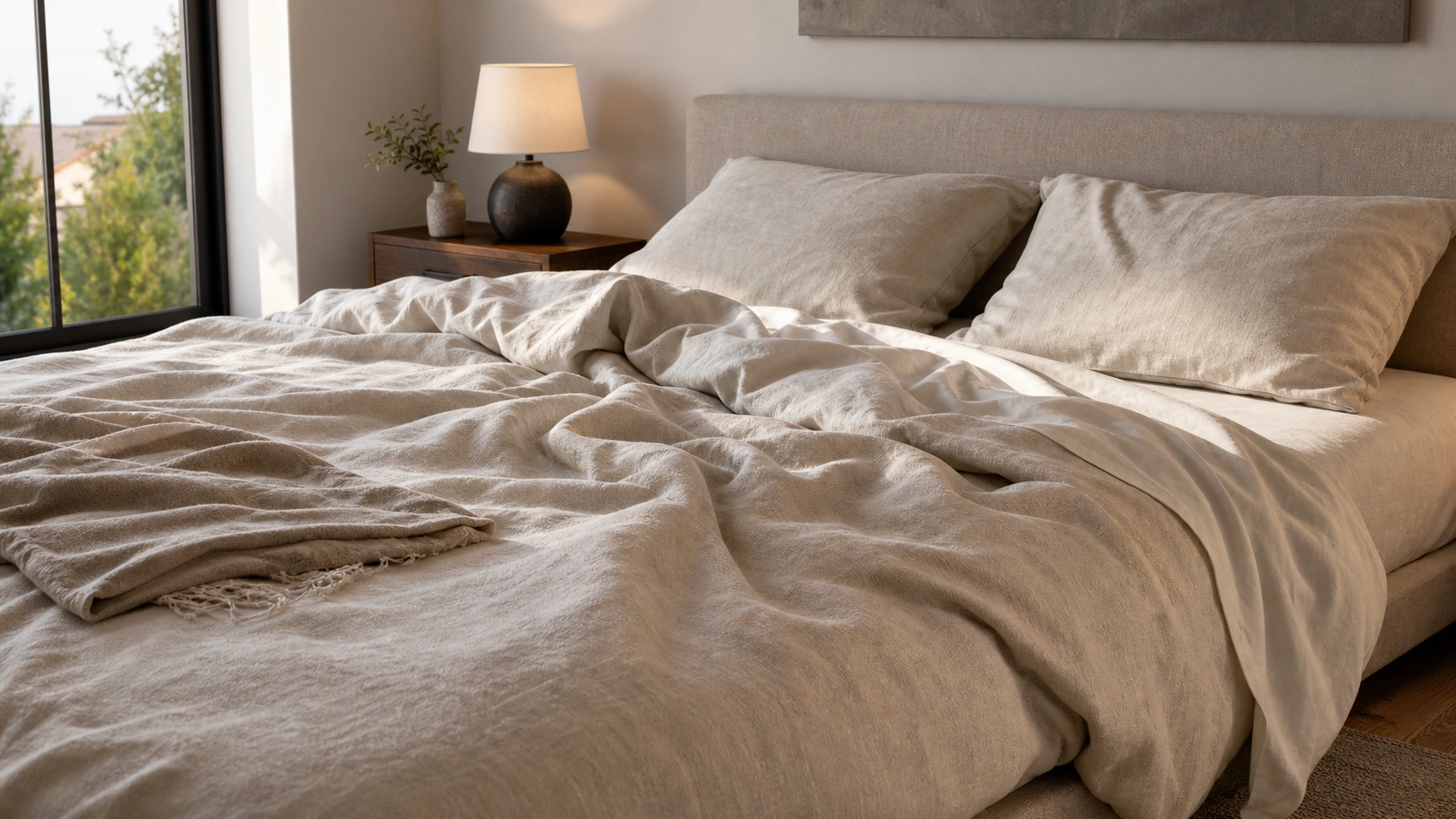
Cotton: diffuse and matte, roughness 0.80 to 0.95. Normal map for knit or woven surface. No sheen. Bed linen — sheets, duvet covers, pillowcases — benefits strongly from physics-based draping simulation to produce the natural folds that distinguish a photographed bed from a modelled one.
Imperfection maps: apply a Curvature or Grunge map in the Roughness slot at a blend factor of 0.1 to 0.2. This adds subtle wear and dust accumulation at fabric high points and seam edges. It is the difference between fabric that reads as freshly rendered and fabric that reads as physically inhabited.
Geometry, Draping, and Fabric Libraries
Bevels and Marvelous Designer
Beveled edges are a geometry requirement in interior design renders. All fabric-wrapped edges on soft furnishings need 2mm to 5mm bevels. Hard material trims — wood legs, metal frames, lacquered panels — require 0.5mm to 1mm bevels. Without bevels, edge-catching light cannot read correctly at any camera distance or render quality.
Marvelous Designer (MD) is the industry standard for fabric draping in premium interior design renders. MD allows cloth panels to be assigned real physical properties: weight, stiffness, elastic coefficient, and friction. Cloth is simulated dropping and settling onto the furniture geometry, producing natural gravity-based folds. Workflow by object type:
- Bed linen: MD output used directly as the render mesh
- Sofa cushions: MD output retopologised to a clean mesh before material assignment
- Curtains: MD simulation exported as Alembic or OBJ for import into 3ds Max or Cinema 4D
Twinbru and Chaos Cosmos
Twinbru is a royalty-free fabric material library built from physical scans of real manufacturer textiles. Each material arrives as a pre-configured Corona and V-Ray shader with calibrated albedo, normal, roughness, and displacement maps. It covers upholstery, curtain, and carpet fabrics. Free to access with registration. This is the fastest route to production-quality fabric in interior design renders, particularly when the brief references a specific manufacturer’s textile.
Chaos Cosmos is the material library built into the Chaos ecosystem, accessible from within the V-Ray Asset Editor or Cosmos browser. Includes fabric categories with pre-built shaders. Included in the standard Chaos Group subscription.
Use Twinbru or Cosmos when the interior brief specifies a real manufacturer’s textile. Build custom when the fabric is generic or when the library material does not match the brief’s exact colour or weave specification.
At a Professional 3D Rendering Studio, fabric material specification is part of the initial project brief. Fabric type, camera distance, bevel radius, and draping method are defined before texturing begins. For photorealistic interior rendering services, visit our interior rendering services page.
What to Know
- Four-map PBR fabric stack: albedo (base colour, no baked shadows), normal map (weave detail — primary driver at 3m+ from camera), roughness map (most important map — differentiates velvet, linen, cotton), displacement map (close-up only, under 1.5 to 2m camera distance).
- Velvet: Corona Sheen layer (Sheen Amount 0.3-0.6, Sheen Glossiness 0.4-0.6) or V-Ray Falloff map (Towards/Away mode). Roughness 0.6 to 0.85, high-contrast roughness map. Soft matte reflections only.
- Linen: roughness 0.75 to 0.90, strong normal map, no sheen. Cotton: roughness 0.80 to 0.95, matte. Both: Curvature or Grunge map at 0.1 to 0.2 blend in the Roughness slot for fabric wear.
- All soft furnishings require 2mm to 5mm bevels. Displacement requires beveled geometry. Marvelous Designer for natural draping on bed linen (direct mesh), cushions (retopologised), and curtains (Alembic/OBJ export).
- Twinbru (free, scan-based, Corona and V-Ray) and Chaos Cosmos (subscription included) are the standard library sources for fabric materials in interior design renders.
Frequently Asked Questions
Why does fabric look flat and plastic in interior design renders?
Flat fabric in interior design renders has one of three causes: a missing or low-resolution roughness map, an absent normal map encoding weave detail, or unbeveled sofa and cushion geometry. The roughness map is the most important fix — it differentiates velvet, linen, and cotton by defining how each fabric scatters light. Without it, all fabrics default to uniform reflectivity, which reads as plastic.
How do I render velvet fabric in V-Ray or Corona?
In Corona: use the Sheen layer in CoronaPhysicalMtl. Set Sheen Amount 0.3 to 0.6, Sheen Glossiness 0.4 to 0.6. In V-Ray: use a Falloff map in the Diffuse or Reflection slot in Towards/Away mode and adjust the mix curve for the edge highlight intensity. For both: roughness 0.6 to 0.85 with a high-contrast roughness map. Keep reflections soft and matte. No sharp specular highlights.
When should I use displacement maps for fabric in interior rendering?
Use displacement maps when the camera is under 1.5 to 2 metres from the fabric surface in the scene. At this distance, displacement physically moves the geometry at cushion folds, button tufting, and edge wraps, which a normal map cannot replicate. At 3 metres or more from camera, a high-resolution normal map is sufficient and significantly faster to render. Displacement requires beveled base geometry to prevent corner pinching.
What is Twinbru and how does it help with fabric rendering?
Twinbru is a royalty-free fabric material library built from physical scans of real manufacturer textiles. Each material is supplied as pre-configured Corona and V-Ray shaders with calibrated albedo, normal, roughness, and displacement maps. It is free to access with registration and covers upholstery, curtain, and carpet fabrics. It is the fastest route to production-quality fabric in interior design renders when the brief references a specific manufacturer.
How important is fabric draping simulation in interior design renders?
Marvelous Designer physics simulation is the industry standard for premium interior design renders. Statically modelled fabric without draping reads as frozen or too geometrically regular. MD assigns real physical properties to cloth panels and simulates them settling onto furniture geometry, producing natural gravity-based folds. Bed linen MD output is used directly as the render mesh.
Conclusion
Photorealistic textile in interior design renders is a pipeline decision made before the camera is placed. The roughness map differentiates the fabric type. The normal map encodes the surface detail at distance. The displacement map adds physical depth at close range. The beveled geometry provides the form that all three maps apply to.
At RenderInfinity, fabric material specification is part of the initial project brief. If you are planning a residential or hospitality interior render package and want fabrics that read as photographed rather than modelled, visit our interior rendering services page or send us your project details.