

Interior Rendering: What Natural Light Bounces Actually Do
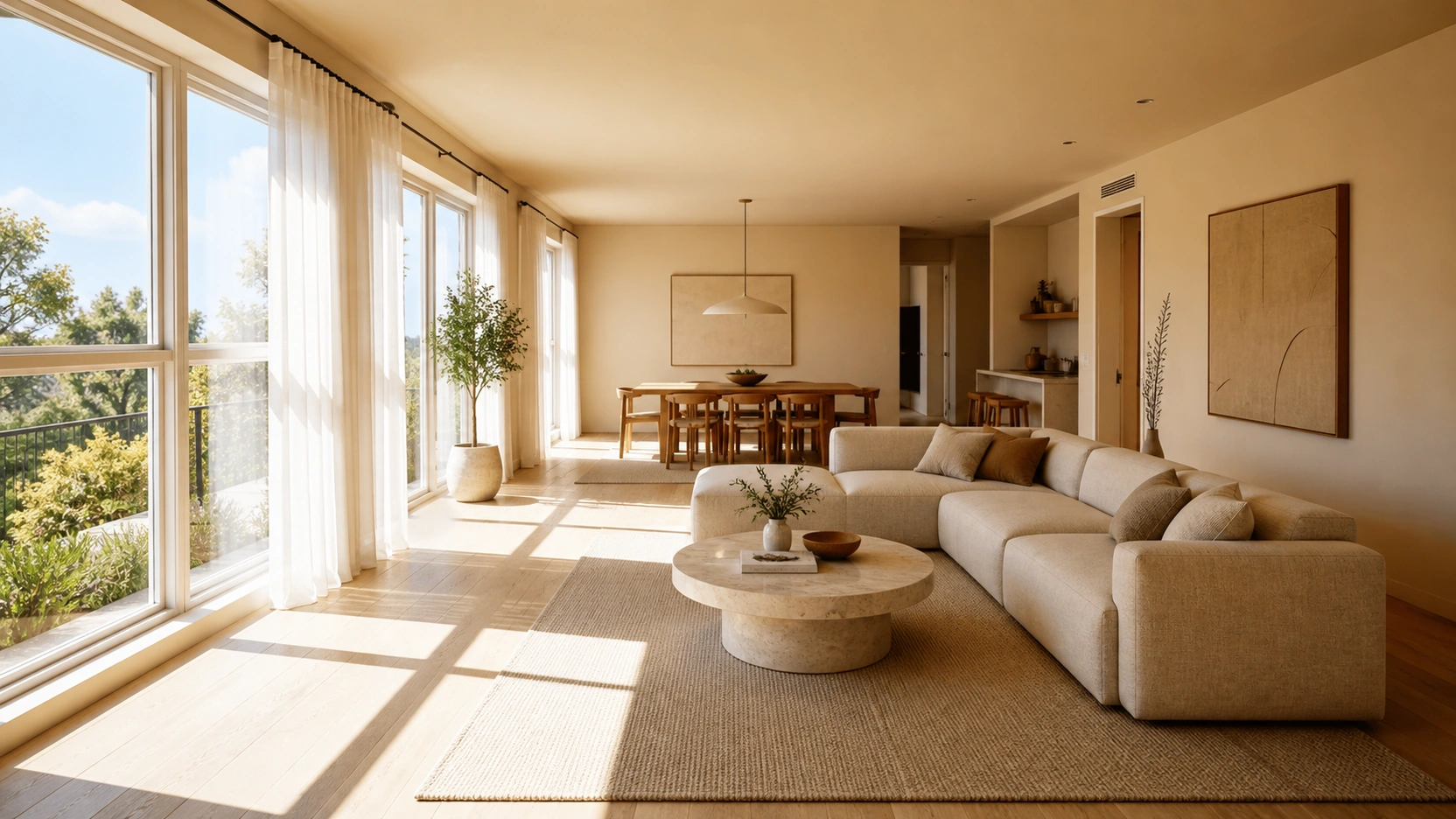
How Each Bounce Changes Colour Temperature
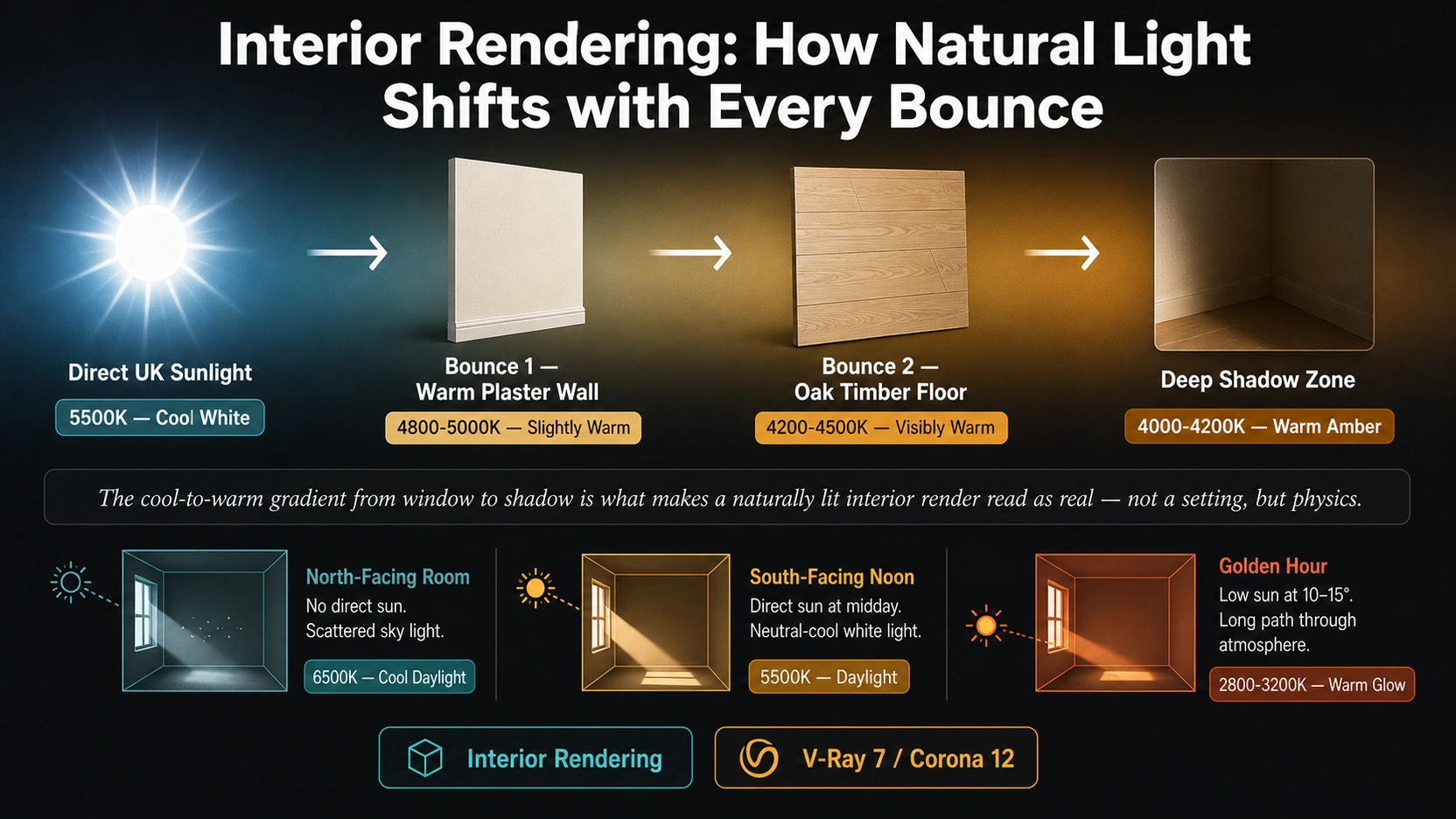
Direct UK sunlight at solar noon is approximately 5500K, neutral white with a slight blue-white cast. This is the light that enters a south-facing window and hits the floor directly. When light hits a surface, the reflected portion carries the spectral bias of that surface material: different surfaces absorb different wavelengths more efficiently.
A warm ivory plaster wall absorbs more of the blue-end wavelengths (420-480nm) and reflects more of the warm wavelengths (580-620nm). The light bounced from this wall is now warmer: approximately 4800-5000K instead of the 5500K that entered the window.
If that bounced light then hits a pale oak timber floor, which has an even stronger warm spectral bias, reflecting strongly in the 590-640nm amber range, the second bounce shifts the light further: approximately 4200-4500K.
By the time natural light has undergone two or three bounces in a room with warm natural materials, a gradient has formed:
- Window zone (direct light): 5500K, cool, neutral, high contrast
- First bounce zone (wall): 4800-5000K, slightly warm, softer shadows
- Second bounce zone (floor/ceiling): 4200-4500K, visibly warm, diffuse, amber
This cool-to-warm gradient from window to shadow is the defining characteristic of a naturally lit interior that reads as real. An interior where the shadows are the same colour temperature as the sunlit areas will always read as artificial, because in real spaces, they never are.
In V-Ray 7 and Corona 12, this gradient emerges naturally from physically correct GI if the material spectral reflectance values are accurate. If a wall material is assigned pure RGB(255,255,255), it has a flat spectral response and produces no warm-biased bounce. Setting the wall diffuse colour to a slightly warm off-white, approximately RGB(245,240,230) for a warm ivory plaster, restores the correct bounce colour shift.
Room Orientation: The Variable That Defines Everything
Before a single light is placed in an interior rendering scene, one question should be answered from the architectural brief: which direction does the main window face? A north-facing and south-facing living room with identical geometry, materials, and furniture produce entirely different light environments.
South-Facing Room at Solar Noon
Direct UK sunlight enters the space. The sun angle at midday in southern England in summer is approximately 60 degrees above the horizon, producing hard, high-contrast directional shadows across the floor. The quality of light is cool and white (5500K), with a strong directionality that creates clear shadow patterns from furniture, window frames, and sills. The render reads as bright, airy, and dynamic.
V-Ray/Corona settings for an accurate south-facing noon render:
- Sun/sky with sun elevation at 55-65 degrees (summer UK midday)
- Sun multiplier: 1.0 (physically correct)
- Sun size: 3-5 (tighter sun, sharper shadows for midday)
- Sky model: Preetham or Hosek-Wilkie at turbidity 2-3 (clear sky)
North-Facing Room at Solar Noon
No direct sunlight enters the space. The room receives scattered sky light only, approximately 6500K, distinctly blue-white, diffuse, with no shadow directionality. The light is even but cool, and shadows are extremely soft with no sharp edges. The render reads as calm and atmospheric, but requires careful handling to avoid appearing cold or clinical.
V-Ray/Corona settings for a north-facing room:
- HDRI sky only, no sun rig (there is no sun visible from a north-facing window)
- HDRI turbidity: low (clear blue sky seen through north window)
- Light portals at window openings (Corona CoronaPortalMtl), critical for efficiency and accurate scatter
- Consider a supplementary warm area light at low intensity to simulate bounce from south-facing adjacent spaces
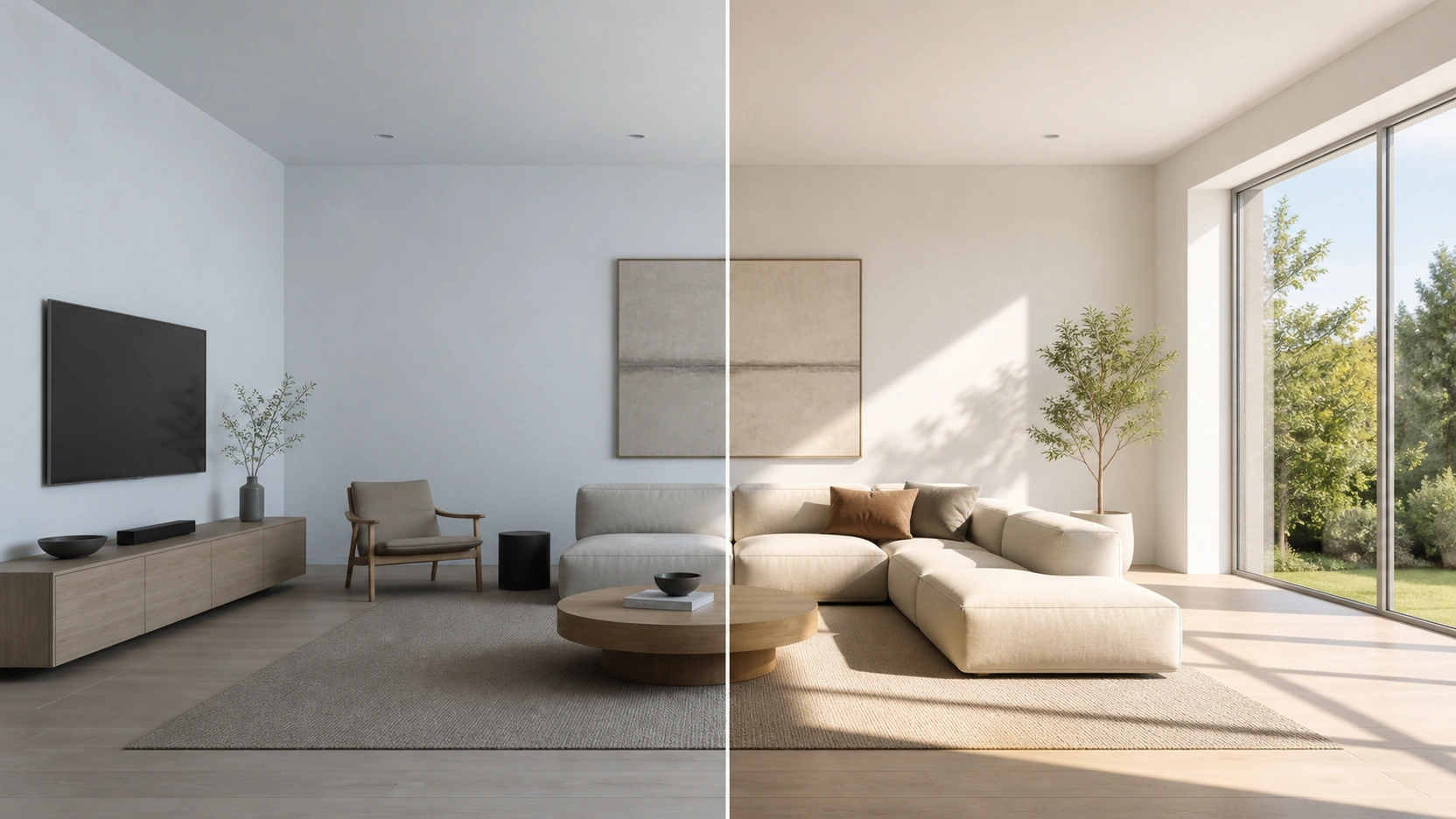
An interior renderer who does not know the room’s orientation and uses a default south-facing sun rig for a north-facing space has produced a physically incorrect scene. The orientation should be confirmed from the floor plan before the lighting is set up.
Golden Hour: The Most Powerful Variable
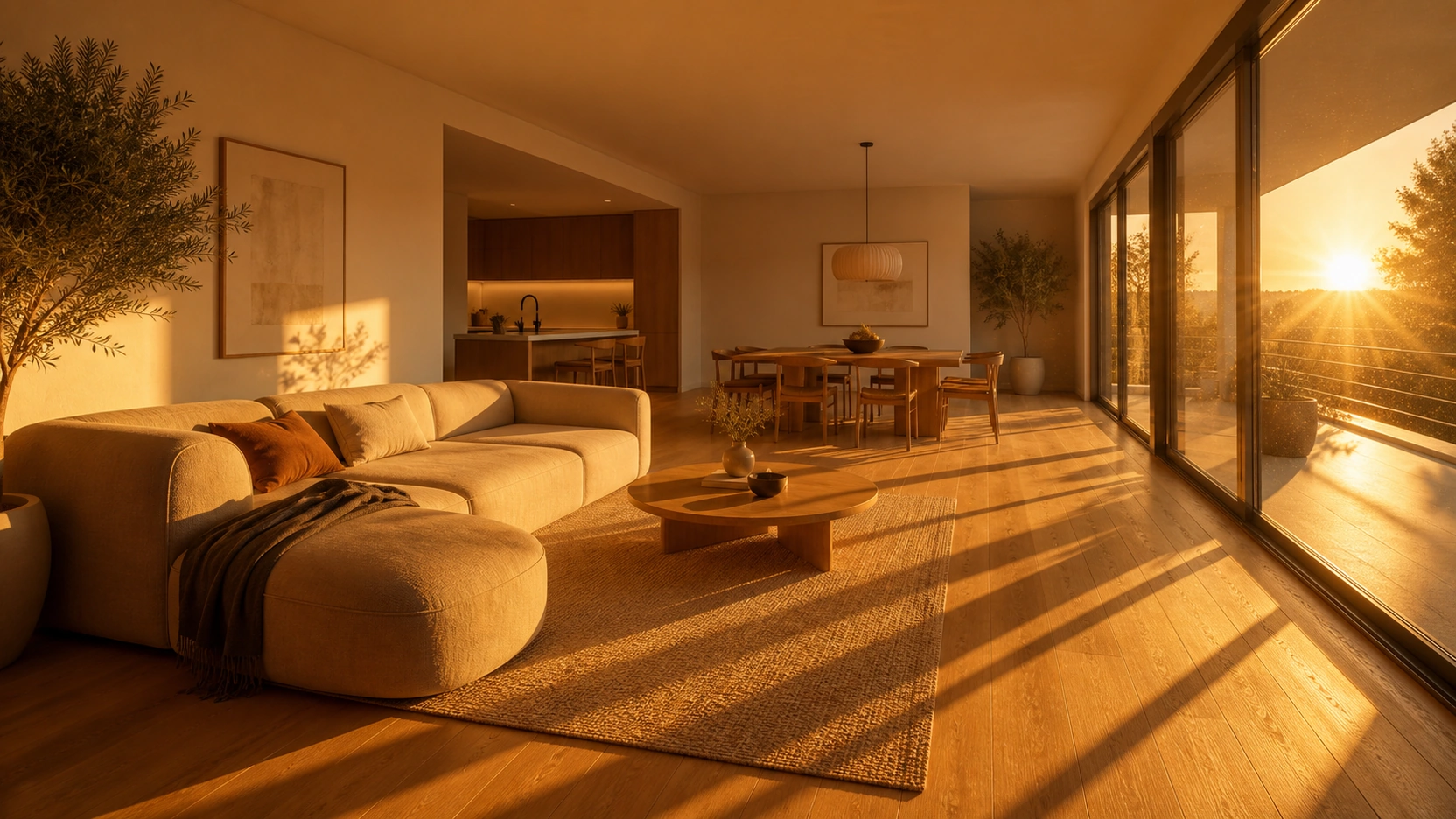
At solar noon, an interior render is accurate but rarely aspirational for residential property marketing. At golden hour, when the sun is 10-15 degrees above the horizon in late afternoon, the same room transforms.
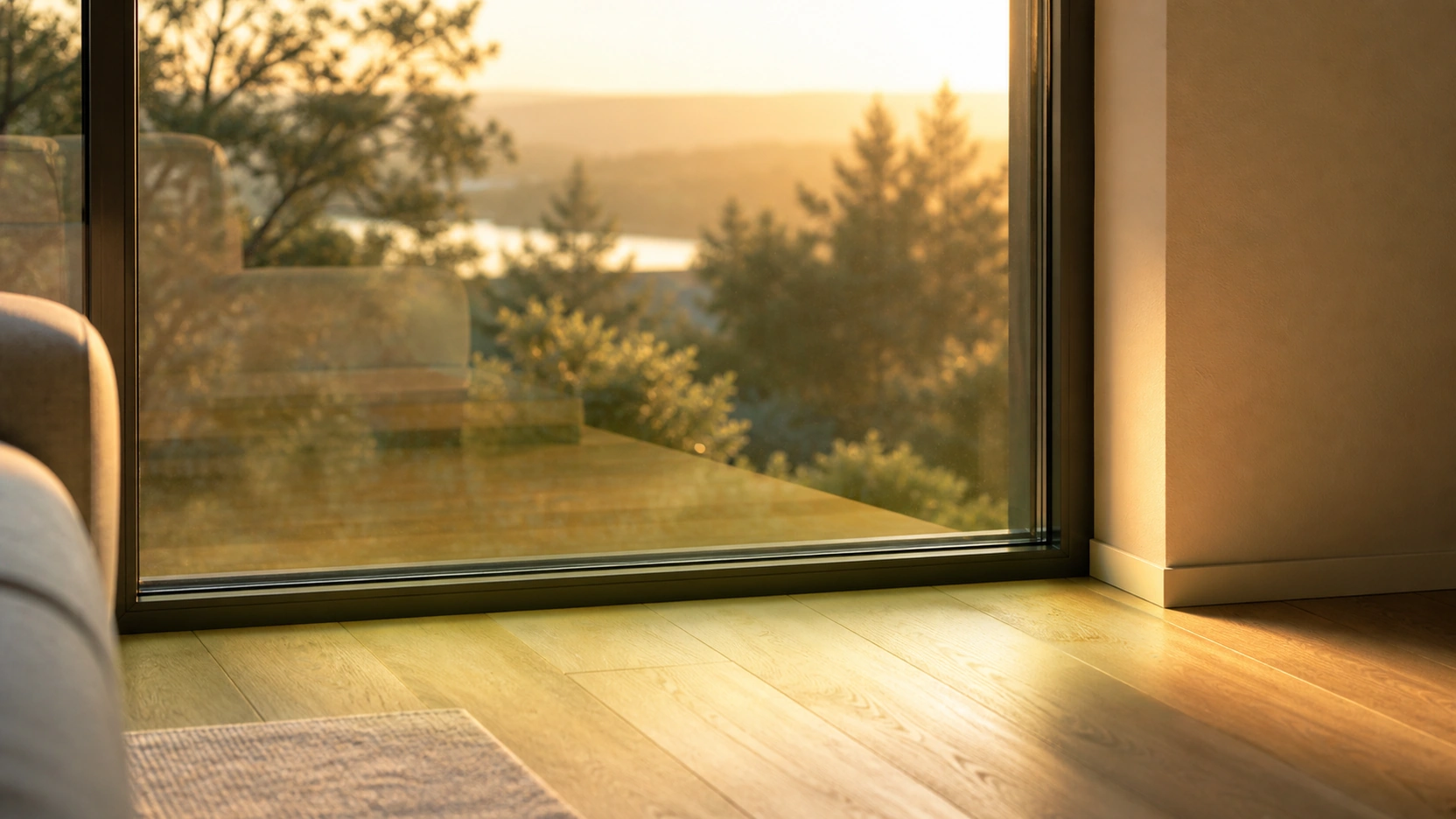
Golden hour sunlight at approximately 2800-3200K is intensely warm. White walls look warm cream. Grey stone looks sand-amber. Pale oak flooring looks honey-toned. Short noon shadows become long diagonal shadows running far across the floor from every vertical element, window frames, furniture legs, plant pots on a sill. For interior rendering in residential property marketing, golden hour consistently produces renders that register as aspirational because the colour palette warms by approximately 800-1200K versus noon, and the low sun angle creates shadow patterns that add depth and texture to otherwise flat surfaces.
V-Ray 7 Golden Hour Settings
- Sun elevation: 10-15 degrees
- Sun azimuth: west-facing (for late afternoon light entering from west windows)
- Sun multiplier: 1.0-1.5
- Sun size: 5-10 (softer shadow edges, real golden hour sun is visually larger)
- Sky turbidity: 3-5 (warms and softens the sky for hazy late afternoon)
Corona 12 Golden Hour Settings
- Sun angle: 10-15 degrees above horizon
- Corona Sun intensity: 1.0-1.5
- Corona Sun size: 5-10
- Sky model: Preetham or Hosek at turbidity 4-6
- GI intensity: default (golden hour has very warm secondary bounces that need full GI to register correctly)
Window Glass: The Colour Filter Nobody Mentions
Window glass in a real building is not optically neutral. Every architectural glazing product has a specific light transmission coefficient and a slight colour bias. When this glass is not accurately modelled in an interior rendering, all the GI bounces in the scene use un-tinted light, and the result is subtly incorrect.
Standard Float Glass (6mm)
- Light transmission: approximately 88%
- Colour bias: slight green tint (iron content in standard float glass preferentially absorbs red and blue wavelengths)
- Effect: all bounced light carries a very faint warm-green cast in heavily lit areas near the window
Low-Emissivity (Low-E) Coated Glass
- Light transmission: approximately 64-72% (depending on coating type)
- Colour bias: slight blue-grey tint (metallic oxide coating absorbs more red-end wavelengths)
- Effect: lower light levels in the interior, cooler cast near the window, particularly visible in south-facing rooms with large glazing areas
Double Glazed Unit (6-12-6mm Float)
- Light transmission: approximately 78%
- Colour bias: compound of the two float panels, slight green tint, doubled
- Effect: the most common glazing type in UK residential. The interior receives approximately 22% less light than the outdoor sun level suggests.
For high-accuracy interior rendering, design document renders for client sign-off or planning authority submission, the glazing material should use the correct transmission and tint values from the specification. For marketing renders, neutralising the glass tint to produce the cleanest light is a legitimate artistic choice, as long as the render is not presented as a design-accurate document.
The White Balance Decision: Marketing vs Design Accuracy
The white balance setting in V-Ray or Corona’s frame buffer is the single most impactful post-render adjustment available. It is also the setting most commonly used in ways that create a disconnect between the render and the finished space.
The Marketing White Balance
Warming the white balance to 3000-3200K in the render frame buffer shifts the entire scene toward amber. White surfaces become warm cream. Cool grey stone becomes warmer grey-sand. The effect is visually appealing and consistently leads to client approval. Renders produced this way perform well on property portals and in sales suites. This is a legitimate technique for marketing renders.
The Design Accuracy Problem
The same warm white balance applied to a design document render, one the client will use to sign off on material choices, produces a scene where specified materials appear warmer than they actually are. A wall specified in Farrow & Ball Cornforth White (No. 228, a mid-warm grey-white with cool undertones) will read in the render as a distinctly warm cream if the white balance is shifted to 3000K. The client approves the render and expects the real wall to look like the render. In real 5500K daylight, Cornforth White has noticeably cooler undertones than the over-warmed render suggested.
The professional standard:
- Marketing render: White balance adjusted for maximum visual appeal. Typically 3000-3500K.
- Design document render: White balance set to accurately represent the actual light conditions in the completed space, not the most appealing interpretation of them. The client should be told which lighting condition the render represents.
At RenderInfinity, all interior rendering briefs confirm the room orientation, target time of day, and render purpose (marketing or design document) before the lighting rig is set up, because these three variables determine everything that follows.
For how interior rendering integrates with a full development marketing pack alongside exterior renders and floor plans, see our post on 3D interior rendering services: what’s in an 8-image pack.
For interior rendering project booking, gate review, and material schedule requirements, see our post on interior design rendering company: booking your project.
The Bottom Line
- Natural light changes colour temperature with every bounce through a room. Direct UK sunlight at 5500K shifts to approximately 4800-5000K after bouncing off a warm plaster wall, and to approximately 4200-4500K after a second bounce off an oak timber floor. The resulting cool-to-warm gradient from window to shadow is the defining characteristic of a photographically believable naturally lit interior. It emerges from correct material spectral reflectance values, not from adjusting global illumination settings.
- Room orientation determines the entire light quality of an interior rendering before any setting is chosen. A south-facing room at solar noon receives hard directional sunlight at 5500K with high contrast and sharp shadows. A north-facing room at the same time receives only scattered sky light at 6500K, cool, diffuse, and without shadow directionality. Using a south-facing sun rig for a north-facing room produces a scene that is physically incorrect.
- Golden hour (sun at 10-15 degrees above horizon, approximately 2800-3200K) produces the most consistently aspirational results for residential property marketing interior rendering. White surfaces become warm cream, grey stone becomes amber-sand, and long low-angle shadows add depth and intimacy. V-Ray settings: sun elevation 10-15 degrees, size 5-10, sky turbidity 3-5. Corona settings: intensity 1.0-1.5, size 5-10, sky turbidity 4-6.
- Window glass is a colour filter that affects all GI bounces in an interior rendering scene. Standard float glass (6mm) transmits approximately 88% of incident light with a slight green bias from iron content. Low-emissivity coated glass transmits approximately 64-72% with a slight blue-grey bias. Double glazed units (6-12-6mm, the most common UK residential specification) transmit approximately 78%. For design document renders, the glazing material should use the correct transmission and tint values from the building specification.
- The white balance setting is the most impactful post-render adjustment and the most frequently misused for design documents. Warming the white balance to 3000-3200K consistently produces visually appealing marketing renders. Applying the same warm white balance to a design document render creates a version of the space that is warmer than the real environment, leading to client disappointment when the completed space reads cooler than the approved render suggested. The render purpose (marketing or design document) must be confirmed at brief stage.
Frequently Asked Questions
Why does natural light look flat in some interior renders?
Flat lighting in interior rendering usually has one of three causes. First, the material white balance is too neutral: if all wall and floor materials are assigned pure white or flat grey diffuse colours, the GI bounces have no colour shift, every surface carries the same colour temperature as the direct light source, and the cool-to-warm gradient that defines real interior light is absent. Second, the sky model provides overly uniform ambient light without sufficient directional quality from a sun source, common when an HDRI is used without a sun rig or when the HDRI does not have a sufficiently bright sun disc. Third, the exposure and tone mapping settings are compressing the scene’s dynamic range too aggressively, flattening the contrast between sunlit and shaded areas.
What colour temperature should I use for interior rendering?
The correct colour temperature for the natural light source depends on the room orientation and time of day in the brief. Direct UK sunlight at solar noon: approximately 5500K. Overcast UK daylight: approximately 6500K. Golden hour (sun at 10-15 degrees above horizon): approximately 2800-3200K. The interior fill light from GI bounces will always be warmer than the direct light source in a warm-material room, typically shifting 300-500K warmer per material interaction. For artificial interior lights: IES-matched fixtures at 2700-3000K for warm residential, 3500-4000K for modern commercial.
What is the difference between a north-facing and south-facing room in interior rendering?
A south-facing room at solar noon in the UK receives direct sunlight: 5500K, hard directional shadows, high contrast, dynamic light patterns on the floor and walls. A north-facing room at the same time receives only scattered sky light: 6500K, diffuse, no shadow directionality, very even illumination. The north-facing room has a cool, atmospheric quality that requires supplementary warm artificial light to avoid appearing clinical. In the renderer, a south-facing room uses a Sun & Sky rig with the sun positioned correctly for the compass direction and time of day. A north-facing room uses HDRI sky light without a direct sun, with CoronaPortalMtl light portals at windows to guide efficient scatter of sky light into the space.
How does window glass affect interior rendering light quality?
Real architectural glazing is not optically neutral. Standard 6mm float glass transmits approximately 88% of incident light with a slight green tint from the iron content in the glass. Low-emissivity coated glass transmits 64-72% with a slight blue-grey tint from the metallic oxide coating. Double glazed units (6-12-6mm, the most common UK residential specification) transmit approximately 78%. If the glass material in the rendering uses 100% transparent glass, the interior will be over-lit relative to the real-world outcome, and the colour of all GI bounces will be un-tinted rather than carrying the faint colour bias of the actual specified glazing.
What is the white balance trap in interior rendering?
The white balance trap is the practice of warming the render’s white balance or tone mapping to 3000-3200K to produce a visually appealing marketing render, and then presenting the same render as a design document for material sign-off. At a warm white balance, cool-undertone materials (grey-white plaster, cool stone, pale concrete) appear warmer in the render than they will in the real space under 5500K midday light. Clients who approve design decisions based on an over-warmed render often experience colour disappointment in the finished space. The solution: confirm the render purpose at brief stage and set the white balance to accurately represent the real light conditions for design documents.
Conclusion
Natural light in interior rendering is a physical process, not a setting. Understanding how each bounce shifts colour temperature, how orientation determines the light quality before any technical decision is made, what golden hour does to every material in a space, and how glazing filters all the light that enters, these are the foundations of interior rendering that reads as real rather than rendered.
At RenderInfinity, interior rendering projects begin with the room orientation, time of day, and render purpose confirmed from the brief. Visit our interior rendering services page to brief your project.