

Architectural Animation: The Frame Rate Decision Explained
The UK Standard: 25fps, Not 30fps
Most online comparisons frame the architectural animation frame rate decision as “30fps cinematic vs 60fps smooth.” For UK studios producing content for UK clients, this framing is incorrect.
The UK broadcast standard for video is 25fps (PAL, Phase Alternating Line). UK television is 25fps. The UK film and drama industry commonly produces at 25fps for television broadcast. The European cinema standard is 24fps, close enough to 25fps that content transfers between them without perceptual issues at most display frequencies.
30fps is the North American broadcast standard (NTSC, technically 29.97fps). When a UK developer commissions an architectural animation from a UK studio and that animation is delivered at 30fps, the studio has produced to an American broadcast standard, adding 20% more frames and 20% more render cost versus the natural UK baseline, with no benefit for UK broadcast or web delivery.
UK Delivery Standards
| Delivery Context | Frame Rate | Format |
|---|---|---|
| UK broadcast television | 25fps | ProRes 422HQ, 1080/25p or 1080/50i |
| UK web and portal delivery | 25fps (preferred) | H.264/H.265 MP4 |
| North American broadcast | 29.97fps (30fps nominal) | ProRes 422, 1080/30p |
| Cinema (Europe) | 24fps | DCP |
| VR headset (Oculus Quest 3) | 72fps (90fps PCVR preferred) | Platform-encoded |
| LED sales suite (60Hz display) | 60fps | H.265 MP4 or ProRes |
For a UK architectural animation serving property portals, sales suites, investor presentations, and website hero videos: the correct production frame rate is 25fps.
Why 60fps Costs More Than Twice as Much
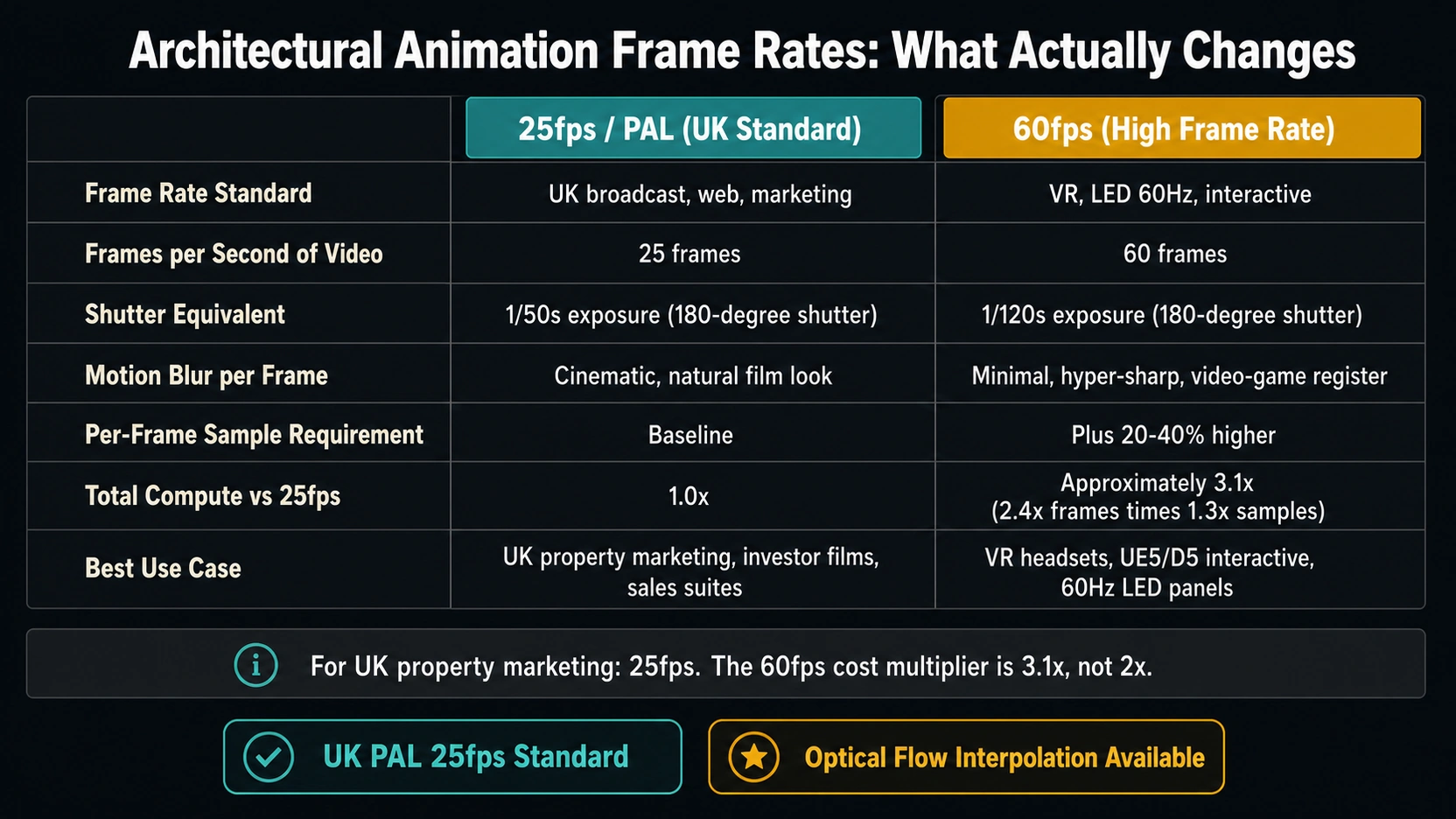
The standard explanation, 60fps doubles the frame count versus 30fps, is accurate but incomplete. For architectural animation produced at offline rendering quality (V-Ray 7, Corona 12), the true cost multiplier of 60fps versus 25fps is closer to 3x-3.5x.
The Frame Count Factor
At 25fps: 1 second of animation = 25 frames.
At 60fps: 1 second of animation = 60 frames.
Frame count multiplier: 60 ÷ 25 = 2.4x.
This is not the whole picture.
The Per-Frame Sample Count Factor
At 25fps with a 180-degree shutter angle simulation (the standard archviz motion blur setting), each frame’s exposure window is 1/50th of a second. This relatively long exposure window produces visible motion blur on moving elements, the camera pan, any animated foliage, water, or people in the scene.
Motion blur is not just aesthetic: it is a noise-masking mechanism. The blurred motion across the frame effectively averages out render sampling noise. At 60fps, each frame’s exposure window is 1/120th of a second, significantly less motion blur per frame, meaning sampling noise is more visible and the renderer needs higher samples per pixel to achieve the same clean result.
In practice, professional archviz studios rendering at 60fps need to increase per-frame sample counts by approximately 20-40% versus their 25fps settings. Combined with the 2.4x frame count increase:
- Frame count multiplier: 2.4x (60fps vs 25fps)
- Per-frame sample count increase: approximately 1.3x
- Total compute multiplier: 2.4 × 1.3 ≈ 3.1x
This is why “60fps doubles render cost” undersells the actual budget impact. The true multiplier for equivalent-quality architectural animation at 60fps versus 25fps is approximately 3x in offline render compute.
Motion Blur: The Most Misunderstood Setting
Motion blur in architectural animation is not a stylistic choice, it is a technical requirement for natural-looking motion at sub-60fps frame rates.
The 180-Degree Shutter Angle Rule
In real photography and cinematography, the standard shutter angle is 180 degrees: the shutter is open for half the duration between frames. At 25fps (1/25th second per frame), the 180-degree shutter gives 1/50th second exposure per frame. This matches the motion blur quantity the human eye accumulates when tracking motion at that speed, which is why 25fps footage at 1/50th second shutter looks “natural.”
In architectural animation:
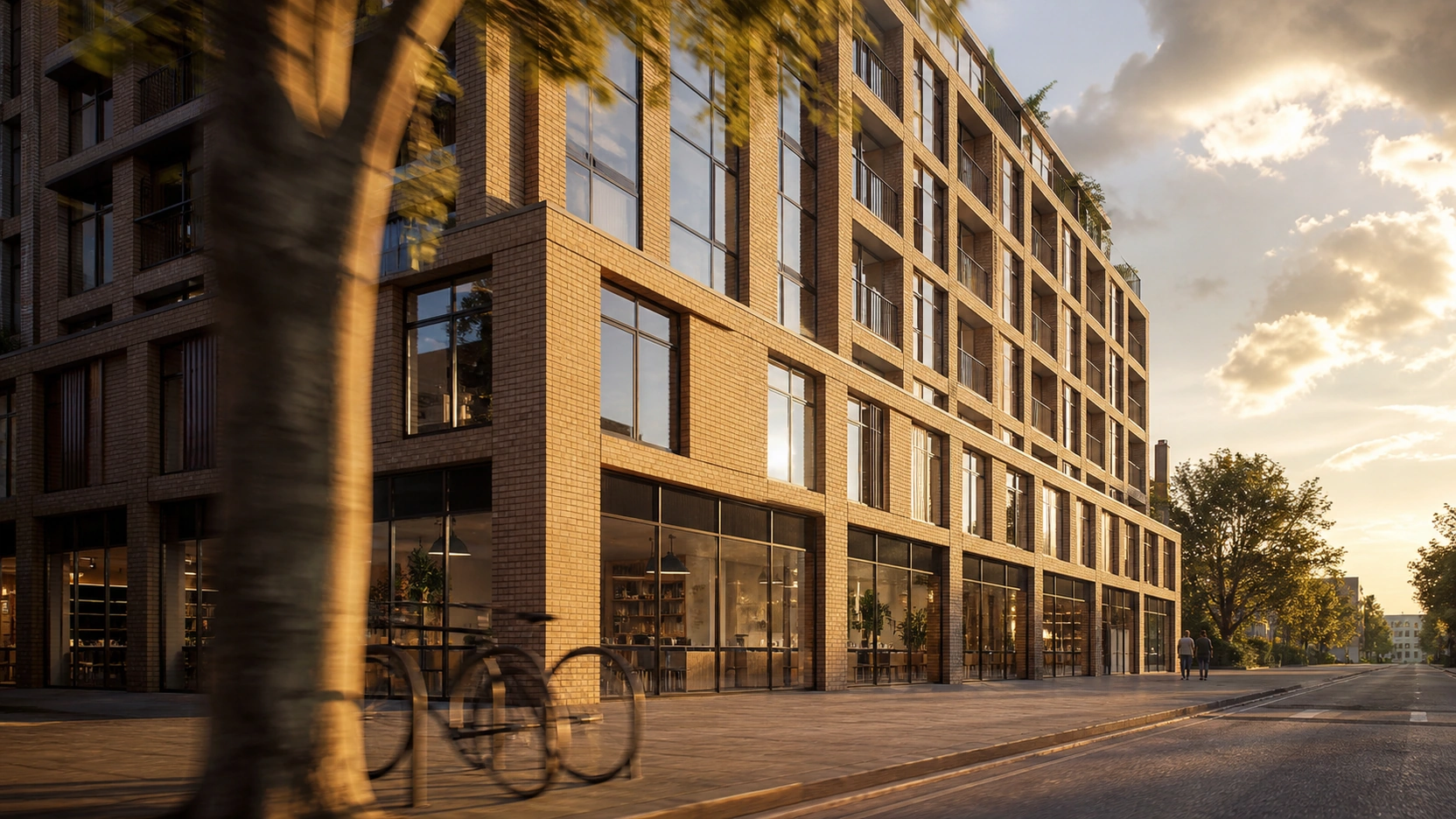
- 25fps with 180-degree shutter simulation (1/50s): Natural, cinematic motion. Standard for property marketing films, investor presentations, sales suite content.
- 60fps with 180-degree shutter simulation (1/120s): Minimal motion blur. Hyper-smooth, video-game-like appearance.
- 60fps with 360-degree shutter simulation (1/60s): More motion blur added back artificially. Smoother motion but with more complex blur artefacts at high speed.
For cinematic architectural animation, which most UK property marketing content is, 25fps with a correctly set 180-degree shutter simulation is the technically correct specification.
The Soap Opera Effect: Perception and Marketing
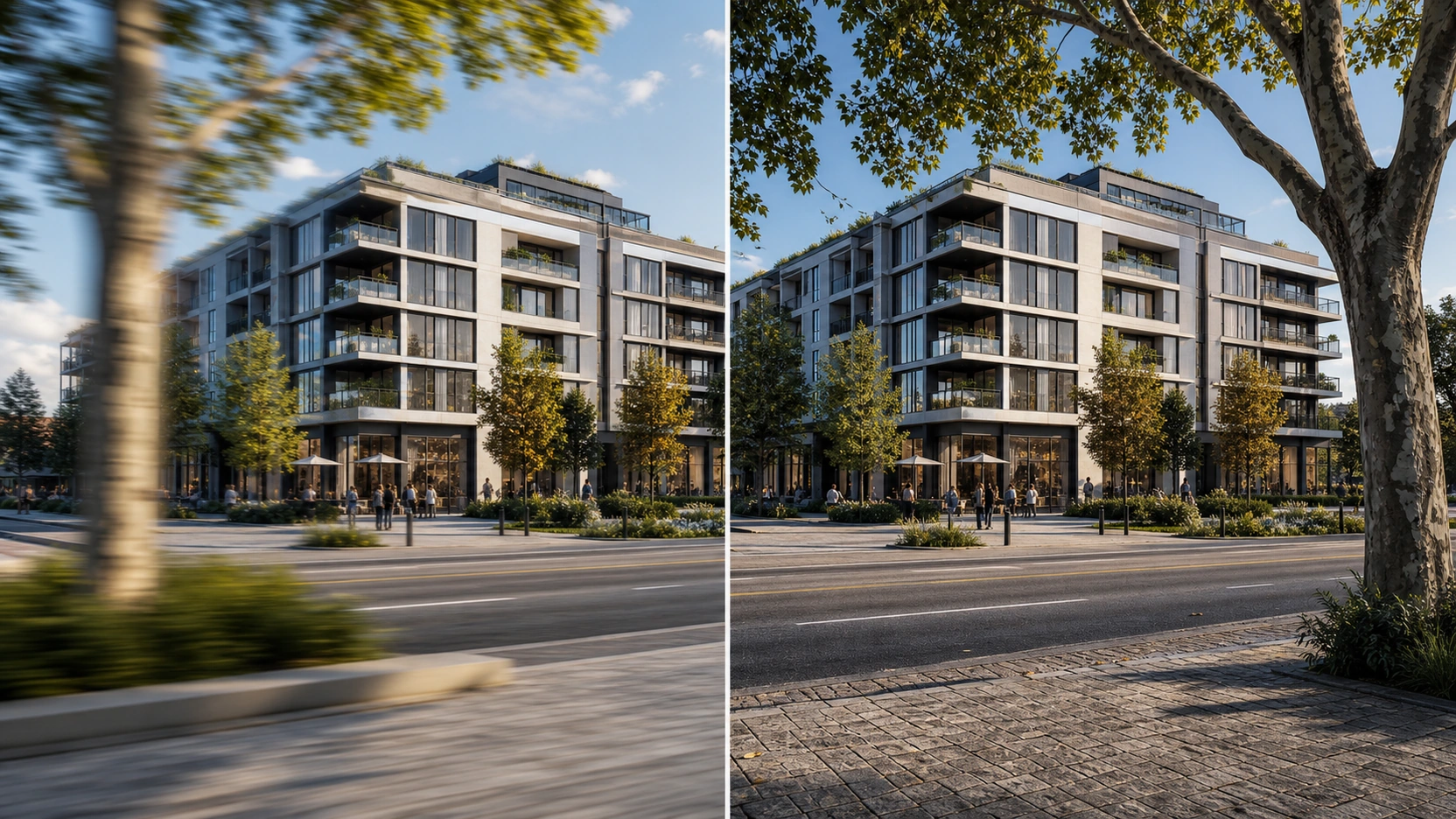
60fps video has a distinctive perceptual characteristic called the “soap opera effect” (also called the high-frame-rate effect or HFR effect). It originates from the fact that high-frame-rate footage looks more like live camera footage, like a daytime soap opera or a live news broadcast, than like a cinematic film.
Human vision processes high-temporal-resolution footage as more immediate and present, the kind of visual information associated with direct observation of real-time events. Low-frame-rate footage with motion blur (24-25fps) is processed as more abstracted, the kind of visual information associated with film, with composed narrative, with elevated production.
For architectural animation produced as marketing content, investor films, pre-sales brochures, sales suite videos, the cinematic perceptual register of 25fps is usually the correct choice. A development shown at 60fps reads as immediate and functional. The same development at 25fps with proper motion blur reads as premium and aspirational.
This is why major luxury property developers, high-end hospitality brands, and premium commercial property launches consistently use cinematic frame rates for their CGI animation content.
When 60fps Is the Right Choice
60fps is the correct specification for architectural animation in four specific contexts.
VR Headset Delivery
Virtual reality headsets require a minimum of 60fps to avoid motion sickness. The Oculus Quest 2 and 3 run at 72fps native. PCVR headsets (Valve Index, HTC Vive Pro) are recommended at 90fps. Below 60fps, the latency between head movement and visual response creates vestibular conflict that causes nausea in most users within minutes. If an architectural animation is being produced for VR headset delivery, for a sales suite VR experience or a VR property tour, 60fps is not optional.
Interactive Real-Time Walkthroughs (UE5/D5)
When an architectural animation is produced in Unreal Engine 5 or D5 Render for a guided or interactive sales experience, the “animation” is rendered in real-time at 60fps during capture or playback. The render time economics are entirely different from offline rendering, real-time engines render each frame in milliseconds. In this context, 60fps has no significant cost penalty and is the natural output standard for interactive content.
LED Sales Suite Displays (60Hz Panels)
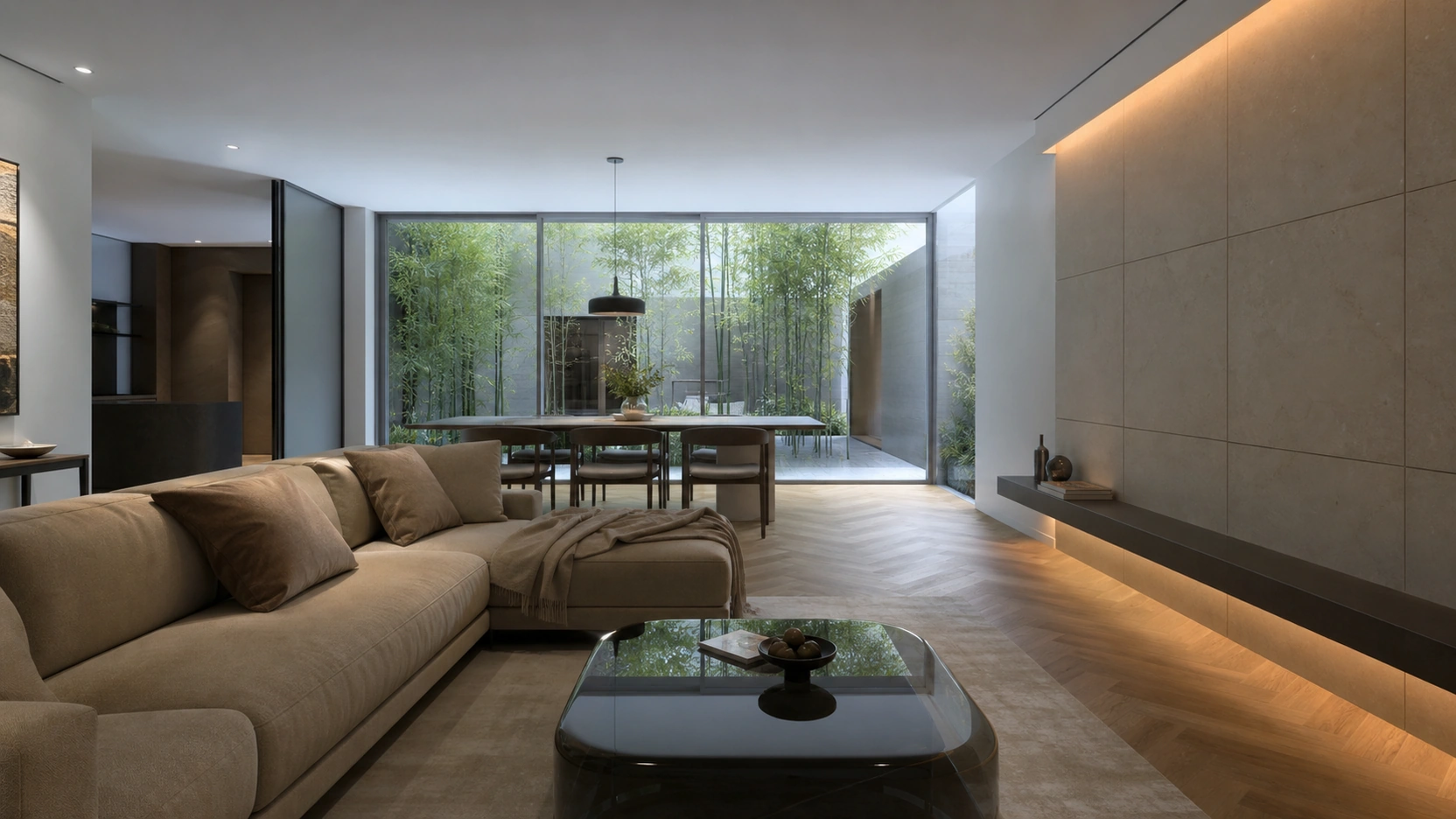
Large-format LED displays in sales suites typically refresh at 60Hz. Content delivered at 25fps on a 60Hz display requires frame repetition, each 25fps frame is displayed for alternating 2-3 display frames to maintain average timing, which produces a subtle stutter on smooth camera pans visible on large 4K LED panels. Content delivered at 60fps on a 60Hz panel displays each frame exactly once, eliminating this stutter. For content specifically intended for a 60Hz LED sales suite display, 60fps is justified.
YouTube and Platform Delivery at 60fps
YouTube recommends 60fps for certain upload categories and supports it across all. For architectural animation primarily distributed via YouTube and social media, 60fps can improve perceived quality on smooth camera pan sequences. This is a marginal benefit that does not justify the 3x render cost for a studio on a standard marketing brief, but for a channel where 60fps content is expected, it is a legitimate consideration.
Optical Flow Interpolation: 60fps Output from 25fps Renders
The most practical technique for delivering 60fps output without 60fps render cost: optical flow interpolation synthesises intermediate frames by analysing motion vectors between existing frames and generating new in-between frames. For architectural animation with smooth, linear camera pans through static environments, the majority of a standard residential or commercial walkthrough, optical flow from 25fps to 60fps produces results nearly indistinguishable from natively rendered 60fps on smooth pan sequences.
Tools used for optical flow interpolation:
- DaVinci Resolve (free version): Optical Flow in the Deliver settings. Best for smooth architectural camera pans. No cost.
- Topaz Video AI: Machine-learning-based frame interpolation. Higher quality on complex motion but slower processing.
- Adobe Premiere Pro: Frame Blending with Optical Flow in the Interpret Footage settings.
Limitations: optical flow fails on fast-moving elements, foliage swaying, water, crowd entourage, quickly panning cameras with foreground parallax. For a standard architectural animation with smooth camera pans and minimal animated entourage, it is a viable cost-saving technique. Studios should disclose to clients when optical flow interpolation is used for 60fps delivery from a 25fps render, it is legitimate, but not equivalent to native 60fps rendering.
At RenderInfinity, all architectural animation project briefs are reviewed for delivery platform before the frame rate is set. Standard UK marketing deliverables: 25fps. Sales suite LED 60Hz: 60fps or optical flow. VR headset: 60-72fps via real-time engine.
For how frame rate and render settings affect the production cost of an architectural animation in GBP, see our post on architectural animation services: cost per second data 2026.
For how architectural animation integrates with exterior rendering composites for planning submissions, see our post on exterior rendering: blending 3D facades into drone photography.
At a Glance
- The relevant UK baseline for architectural animation frame rate is 25fps (PAL broadcast standard), not 30fps (North American NTSC). Producing at 30fps for a UK client adds 20% more frames and render cost versus the natural UK delivery standard for broadcast, web, and property portal delivery.
- 60fps architectural animation costs approximately 3x the compute of 25fps, not 2x. The 2.4x frame count multiplier (60 ÷ 25) is compounded by a 20-40% increase in per-frame sample counts needed to maintain equivalent image quality on sharper, lower-motion-blur frames. Total multiplier: approximately 2.4 × 1.3 = 3.1x.
- Motion blur at the 180-degree shutter angle setting is technically required for natural-looking motion at 25fps. At 25fps, each frame has a 1/50s exposure window producing the correct quantity of motion blur for cinematic perception. At 60fps, the 1/120s exposure produces hyper-sharp, video-game-like motion, less aspirational for luxury property marketing, and the primary cause of the “soap opera effect.”
- 60fps is the correct specification in four specific contexts: VR headset delivery (minimum 60fps to prevent motion sickness; Oculus Quest 3 at 72fps native), interactive real-time walkthroughs in UE5 or D5 Render (no offline render cost penalty), LED sales suite displays running at 60Hz (avoids frame repetition stutter on smooth pans), and YouTube delivery where 60fps is recommended for the content category.
- Optical flow interpolation (DaVinci Resolve Optical Flow, Topaz Video AI, Adobe Premiere Pro Frame Blending) synthesises intermediate frames to deliver 60fps output from a 25fps render. Works well for smooth architectural camera pans in static environments. Fails on fast-moving elements. A legitimate cost-saving technique that should be disclosed to clients when used rather than native 60fps rendering.
Frequently Asked Questions
What frame rate should an architectural animation be rendered at?
For UK production: 25fps is the standard. This aligns with UK broadcast (PAL at 25fps), UK web and property portal delivery, and the cinematic perceptual register appropriate for premium property marketing content. 30fps is the North American broadcast standard and is not the natural baseline for UK studios serving UK clients. 60fps is the correct specification for VR headset delivery (minimum 60fps), interactive real-time walkthroughs in UE5 or D5 Render, and content displayed on 60Hz LED sales suite panels.
Does 60fps really double the render cost for architectural animation?
No. 60fps costs approximately 3x the compute of 25fps, not 2x. The frame count increases by 2.4x (60 ÷ 25), but each frame at 60fps requires 20-40% higher per-pixel sample counts because the shorter exposure window (1/120s vs 1/50s at 180-degree shutter) produces less motion blur and therefore less natural noise masking. Combined: 2.4 × 1.3 ≈ 3.1x total compute multiplier versus 25fps production. The “doubles the cost” figure applies to 30fps vs 60fps; the UK comparison (25fps vs 60fps) is approximately 3x.
What is the soap opera effect in architectural animation?
The soap opera effect is the perceptual quality of high-frame-rate video (60fps and above) that makes footage look like live camera footage rather than cinematic film. Human visual perception processes high-temporal-resolution footage as more immediate and observational, the register of live events. Low-frame-rate footage with motion blur (24-25fps) is processed as more abstracted and narrative, the register of film. For architectural animation produced as aspirational marketing content, 25fps with correct motion blur produces the premium cinematic register. 60fps without motion blur produces the functional, video-game-like register.
When is 60fps the correct specification for an architectural animation?
Four specific contexts: (1) VR headset delivery, below 60fps causes vestibular conflict and motion sickness; Oculus Quest 3 native rate is 72fps. (2) Interactive real-time walkthroughs in Unreal Engine 5 or D5 Render, real-time engines render at 60fps without the offline render cost penalty. (3) LED sales suite displays running at 60Hz, 25fps content on a 60Hz display requires alternating 2-3 frame repetitions that produce subtle stutter on smooth pans on large 4K panels. (4) YouTube upload where 60fps is platform-recommended for the content category.
What is optical flow interpolation in architectural animation production?
Optical flow interpolation is a post-production technique that synthesises intermediate video frames by analysing motion vectors between existing frames. It can produce 60fps output from a 25fps render by generating in-between frames for each adjacent pair of real frames. For architectural animation with smooth, linear camera pans through static environments, optical flow produces results that are nearly indistinguishable from natively rendered 60fps on smooth pan sequences. Tools include DaVinci Resolve’s Optical Flow (free), Topaz Video AI (paid), and Adobe Premiere Pro’s Frame Blending. It fails on complex moving elements. Studios should disclose when optical flow is used rather than native frame rendering.
Conclusion
The architectural animation frame rate decision is not a binary choice between cinematic and smooth. It is a production decision shaped by the delivery platform, the perceptual register of the marketing content, and the render budget available. For UK property marketing: 25fps is correct, 30fps is unnecessary, and 60fps is expensive and often counter-productive for aspirational content. When 60fps is genuinely required, VR, real-time, 60Hz LED, the correct route is either a real-time engine or optical flow interpolation from a 25fps render.
At RenderInfinity, the frame rate is set at brief review, not at render time. Visit our architectural animation services page to brief your project.